final_v3_FINAL.mp4Forty clips, no names
The AI tool spits out takes faster than you can label them. A week later nobody knows which one is the good one.
For makers who promote with AI short videos
Reel Desk keeps every short you make with AI next to its script, its hook and a caption for each platform, then walks it to TikTok, Reels and Shorts.
Free beta · Mac and Windows · No account
Live demo
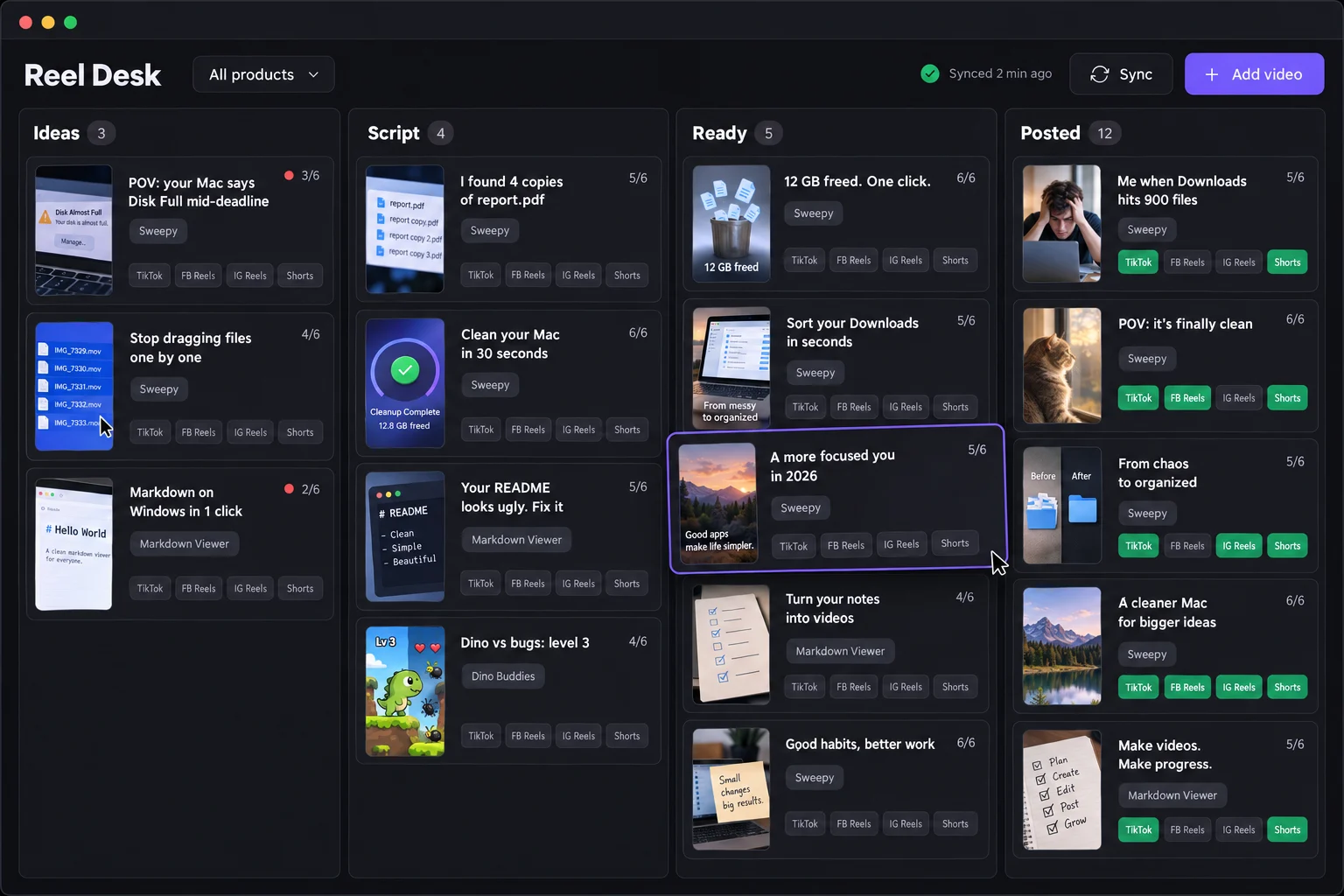
The real Reel Desk screens with sample videos: drag cards, fill a script, mark a post. Nothing leaves your browser.
 Open the live demo ↗
Sound familiar?
final_v3_FINAL.mp4The AI tool spits out takes faster than you can label them. A week later nobody knows which one is the good one.
What was the hook?The hook, the beats and the caption live in a ChatGPT thread you cannot find again.
Where do I upload this?TikTok, Reels and Shorts each want their own caption, title and hashtags, and the upload page is never where you left it.
Which computer?The video is on the Mac at home, the caption is on the Windows laptop at work.
How it works
Drag the clips you made with AI onto the window. Each one becomes a card with its own folder.
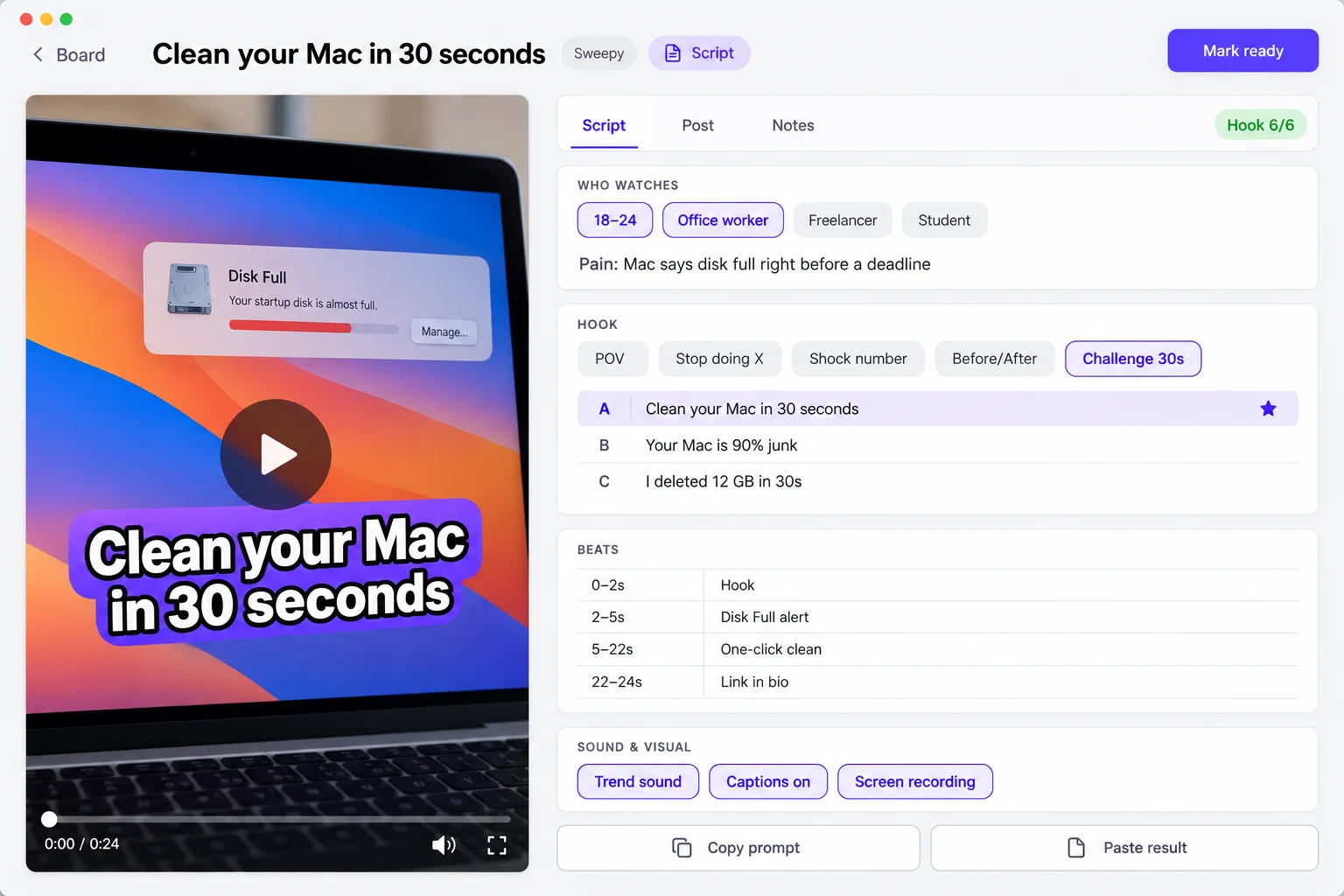
Pick who it is for, the hook style and the beats from chips. Or copy a ready prompt to Claude or ChatGPT and paste the answer back.
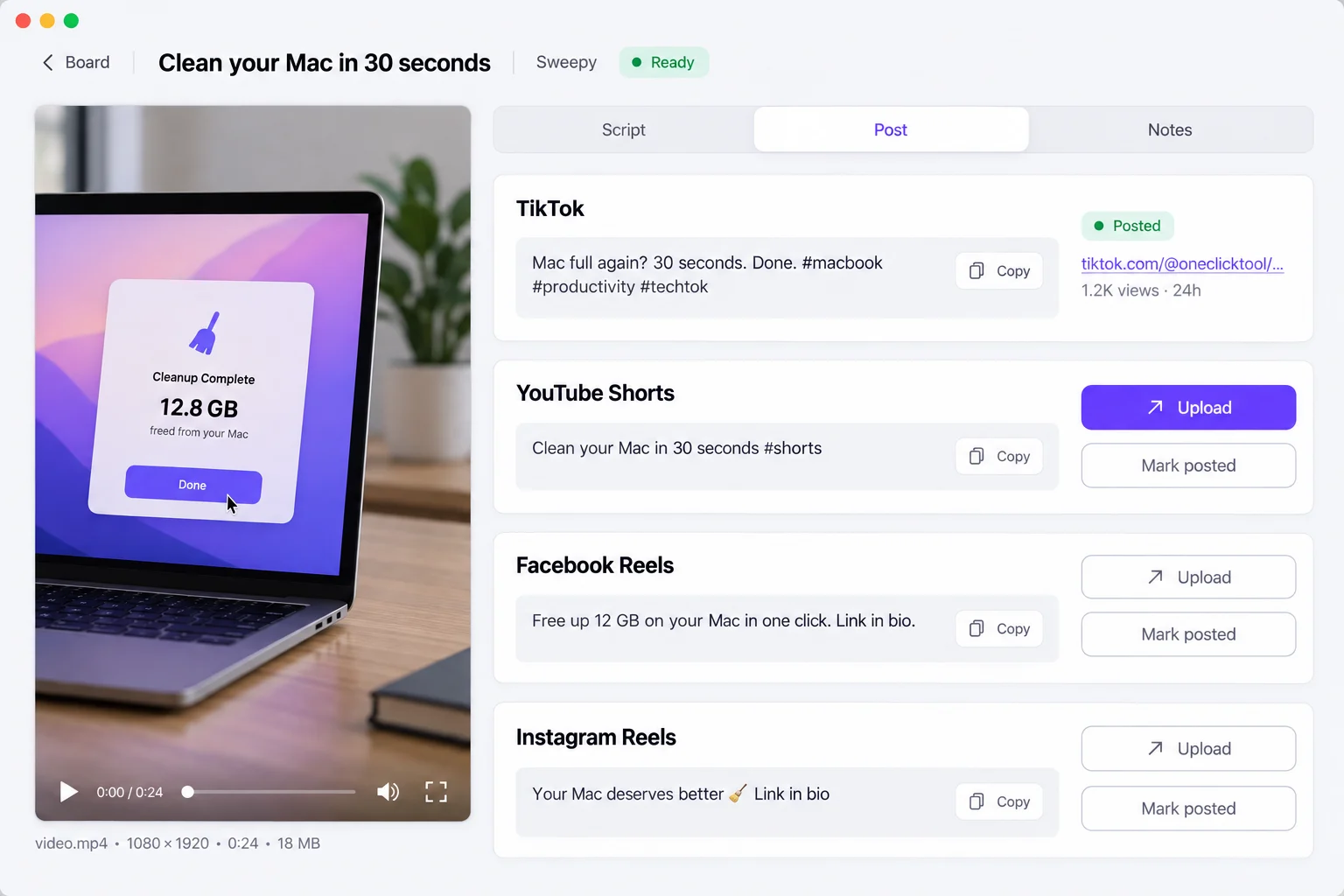
Copy the caption for each platform, open its upload page with the file ready to drag, then mark it posted.
Features
Ideas, Script, Ready, Posted. Drag a card to move it. Grey chips are platforms still waiting, green ones are posted.
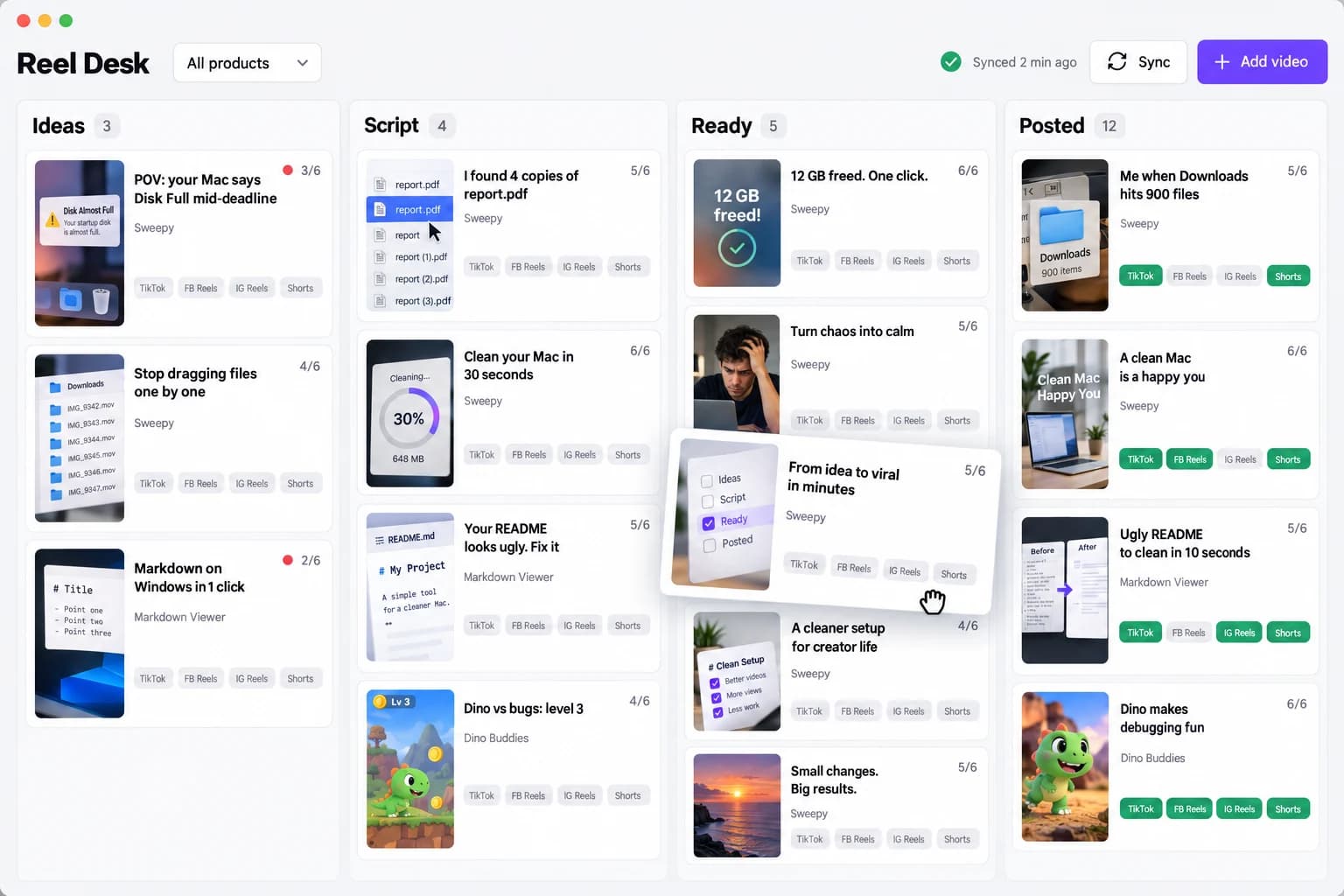
Six quick checks on every card. Under four, the card gets a red dot.
Copy prompt sends your audience and hook style to the AI you already use. Paste result fills the script, three hooks and every caption.
A caption for TikTok, YouTube Shorts, Facebook Reels and Instagram Reels. Copy, Upload opens the right page with the file ready to drag, Mark posted keeps the link.
Mac and Windows. Your library is a Git repo you own: press Sync and the other machine sees the same cards, scripts and videos.
Made by us
Real shorts we made for our own apps. Reel Desk is being built to keep exactly these in order.
Yours, not ours
Everything lives in a folder you choose, synced through your own Git repo.
It opens the upload page. You press Post. No social logins, ever.
Scripts are Markdown next to the mp4. Stop using the app and nothing is locked in.
Beta
The full app on Mac and Windows for beta testers. Pricing comes before launch, and the waitlist hears it first.
One email when Reel Desk is ready to try on your Mac or PC. No spam, unsubscribe anytime.
No spam. Unsubscribe anytime.
Follow along
FAQ
Not yet. Reel Desk is in the works for Mac and Windows. Leave your email and you will get one email with the beta invite when it is ready.
No. You keep making videos with the tools you like, such as Sora, Veo, Kling, Runway, CapCut or Remotion. Reel Desk keeps them organized with a script, a hook and captions, and gets them posted.
No. It opens the upload page of each platform and shows the file to drag in. You press Post yourself, and Reel Desk never asks for your social logins.
In a folder you choose. To use it on several computers, that folder is a Git repo you own, such as a private GitHub repo with Git LFS for the video files. There is no Reel Desk server and no account.
macOS 14 or later and Windows 10 or 11, from the same app.
The beta is free. Pricing will be announced before launch, and the waitlist hears it first.
Script it. Hook it. Post it.
Get the beta invite