Ask the folder, not a blank chat
Claude starts inside the folder you have open. It already reads its CLAUDE.md, its skills and the file on screen, so you stop pasting context into a chat window.
 Markdown EverywhereTry Pro free
Markdown folders + Claude Code, in one app
Every .md file as a table or a map of which file links to which, free. In Pro, Claude Code runs right inside the app, in the folder you have open: ask about your docs, turn a note into a plan, write new files and watch them land on the map.
Pro14 days free · every feature, Claude panel included
No card, no account · Then $9.99 once, not a subscription · Buy a key
Only need to read? Free version: MacWindows▶ 30-second demo
The 30-second tour
Recorded in the real app with a sample team handbook folder.
Claude Code, built in · Markdown Everywhere Pro
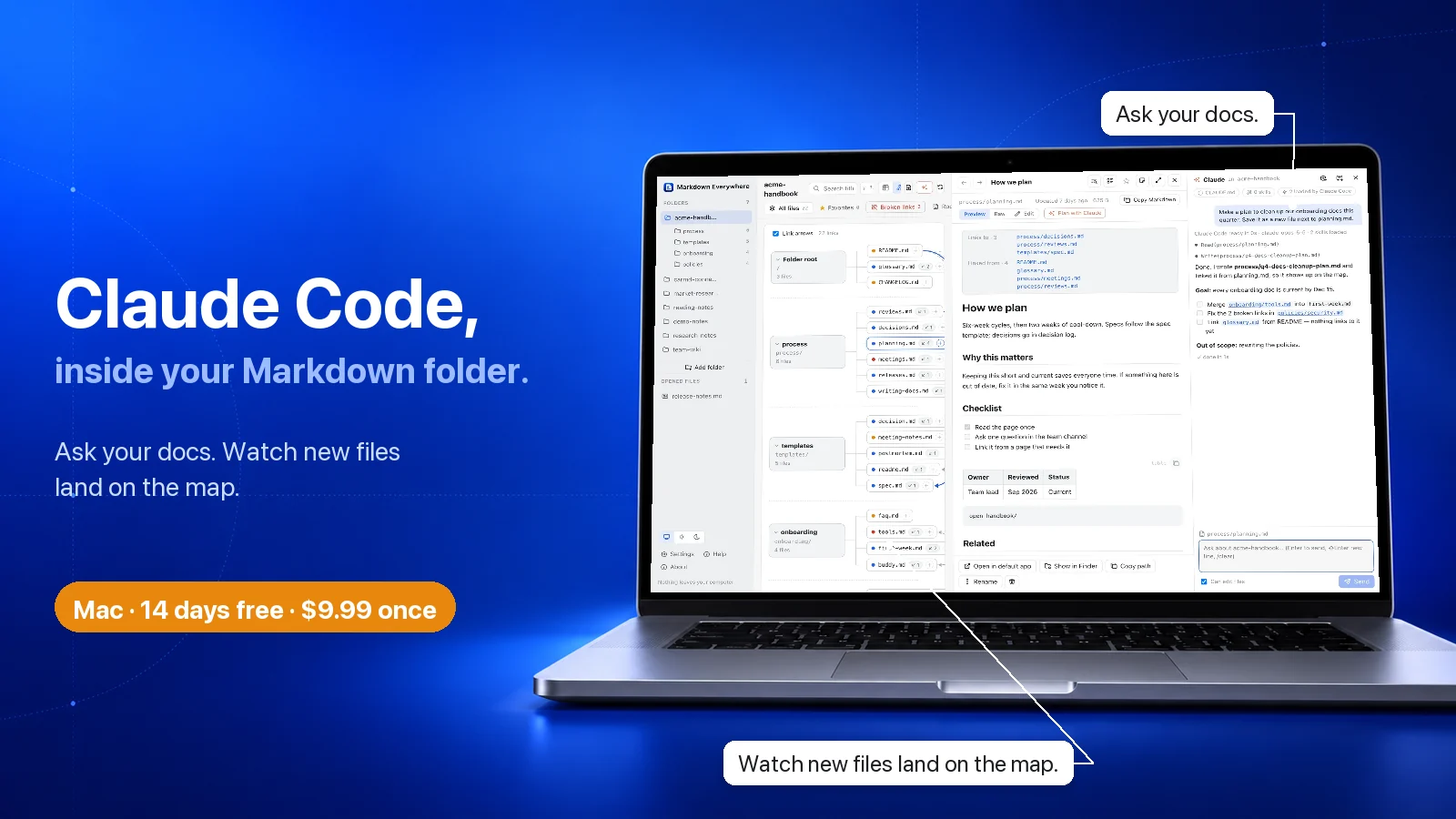
No copying files into a chat, no switching to Terminal. Markdown Everywhere Pro runs Claude Code inside the app, in the folder you have open. Claude reads your files, your CLAUDE.md and your skills, writes straight back into the same .md files, and you watch every change land on the map.
14 days with every feature · No card, no account · Then $9.99 once, no subscription · Buy a key
The Claude panel is in the Mac download today. Windows Pro has editing, notes and unlimited folders; its Claude panel is next.
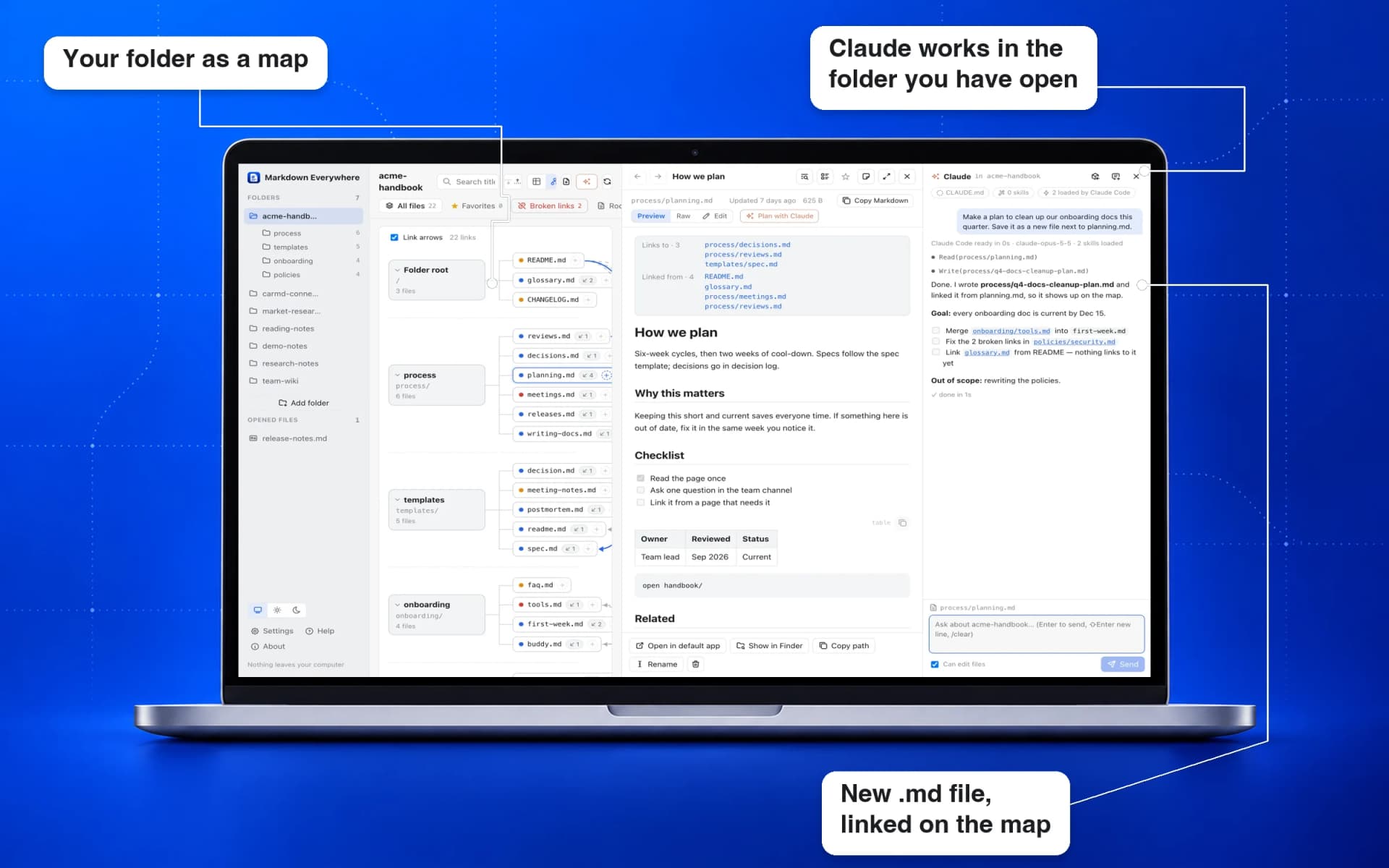
Claude starts inside the folder you have open. It already reads its CLAUDE.md, its skills and the file on screen, so you stop pasting context into a chat window.
Press + Note on any file and jot the idea down. Plan with Claude fills the note with a goal, a checklist and what is out of scope, right beside the file it is about.
When Claude writes a new doc, it shows up on the map and in the table with its links drawn. You see what changed without hunting for it.
Next: review every AI edit as a diff and undo it in one click.
No folder limit. Keep your docs, wikis and AI skills folders side by side and switch in one click.
Next: ask one question across several folders at once.
macOS 11 or later · Apple silicon and Intel
Windows 10 or 11 · 64-bit
The days left show at the bottom of the sidebar. Then $9.99 once, no subscription: Buy a key, click License in the sidebar, paste it and click Activate. One key works on 2 computers. Pro installs next to the free Markdown Everywhere, it does not replace it.
Multi-platform
The same Markdown Everywhere, with the same map, table, reader and search, on macOS and Windows today. Linux is next.
macOS 11 or later · Apple silicon and Intel
.dmg installer
Download for MacWindows 10 or 11 · 64-bit
.exe installer
Download for WindowsSame app, same features, same price: free
In the works, no date yet
Get notified →Read-only, private and free on every platform. Markdown Everywhere Pro is on Mac and Windows too; its Claude panel is Mac only for now.
Sound familiar?
Finder and most Markdown apps open a single file. You never see the whole folder, so you never see the shape of it.
Which note points to which? Which ones does nothing link to? You only find out by opening them all.
Graph apps want your files inside their own vault. Your docs already live in a repo, a wiki or a notes folder.
SKILL.md, references, prompts, plans. A folder of agent docs grows faster than anyone can read it.
How to use it
Add up to 10 folders with Markdown files: docs, research, notes, a wiki or your AI skills.
Subfolders become tabs. Switch between a table and a map to spot links, orphans and what changed recently.
Click a file to read it, follow its links to the next file, and jump back when you are done.
Map view
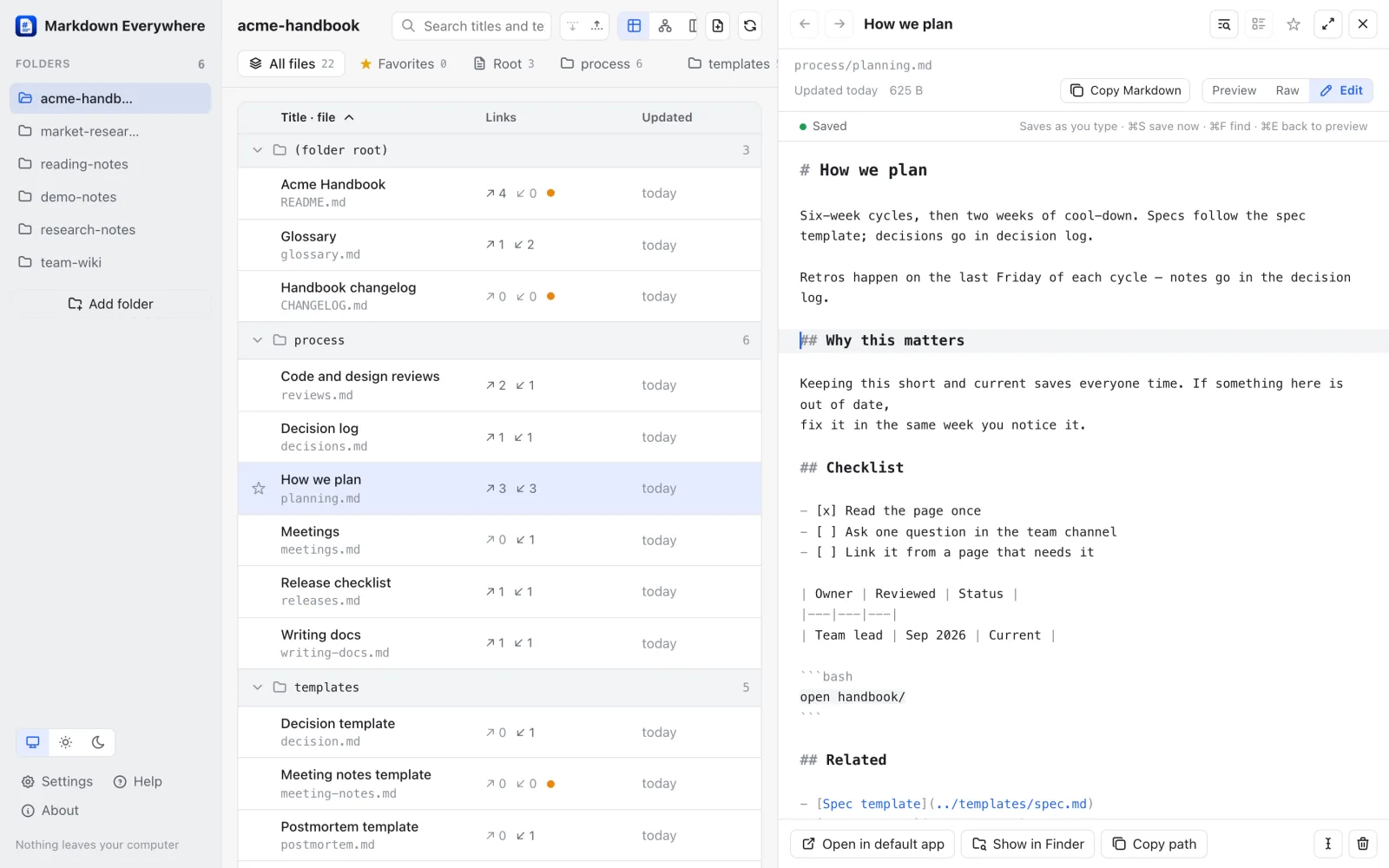
Every file becomes a card, grouped by folder. Dashed arrows show which file links to which, and an orange dot marks files nothing links to.
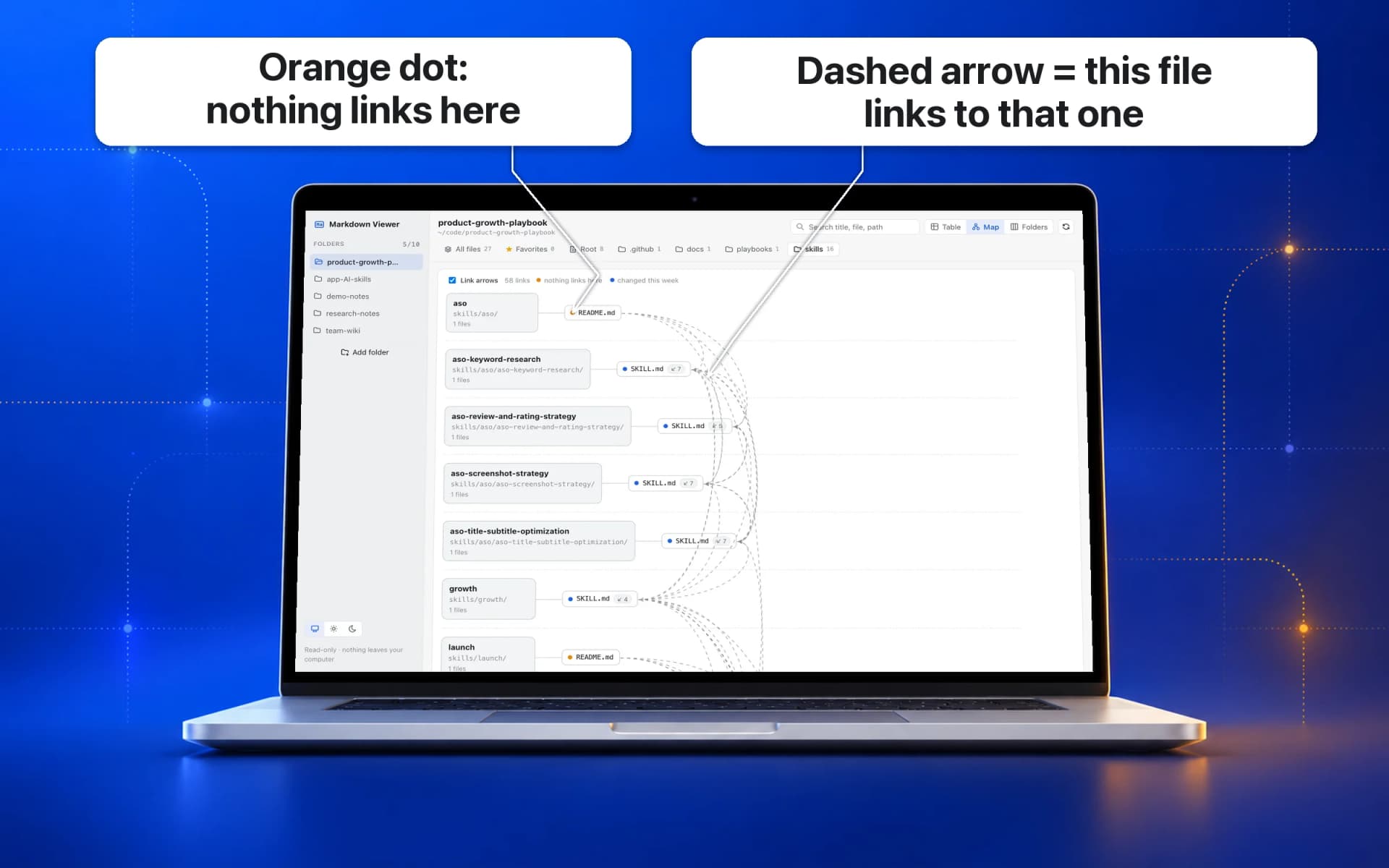
Table view
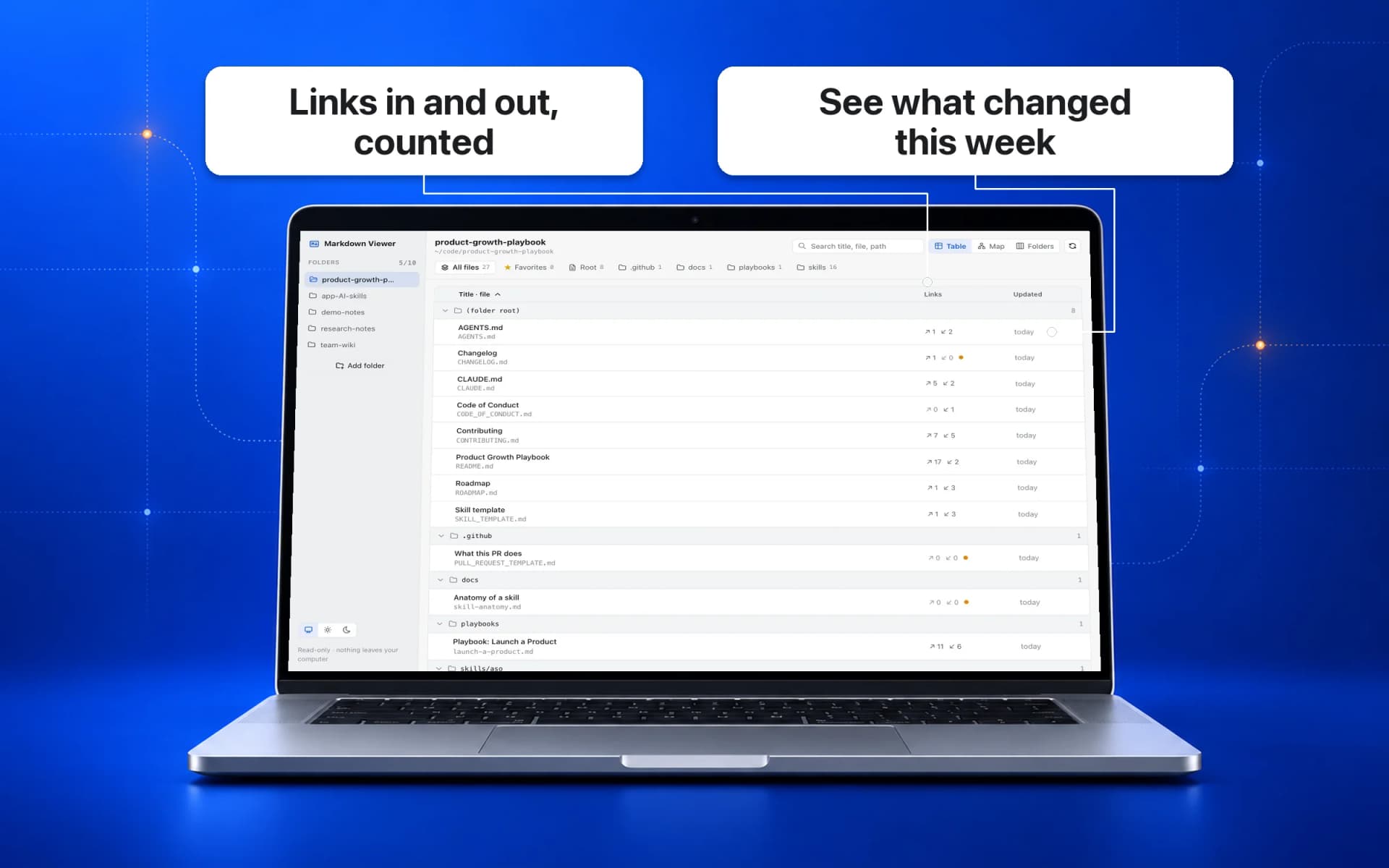
Title, file name, links in and out, and last update for every Markdown file, grouped by folder. Sort it, search it, and see what changed this week.
Reader
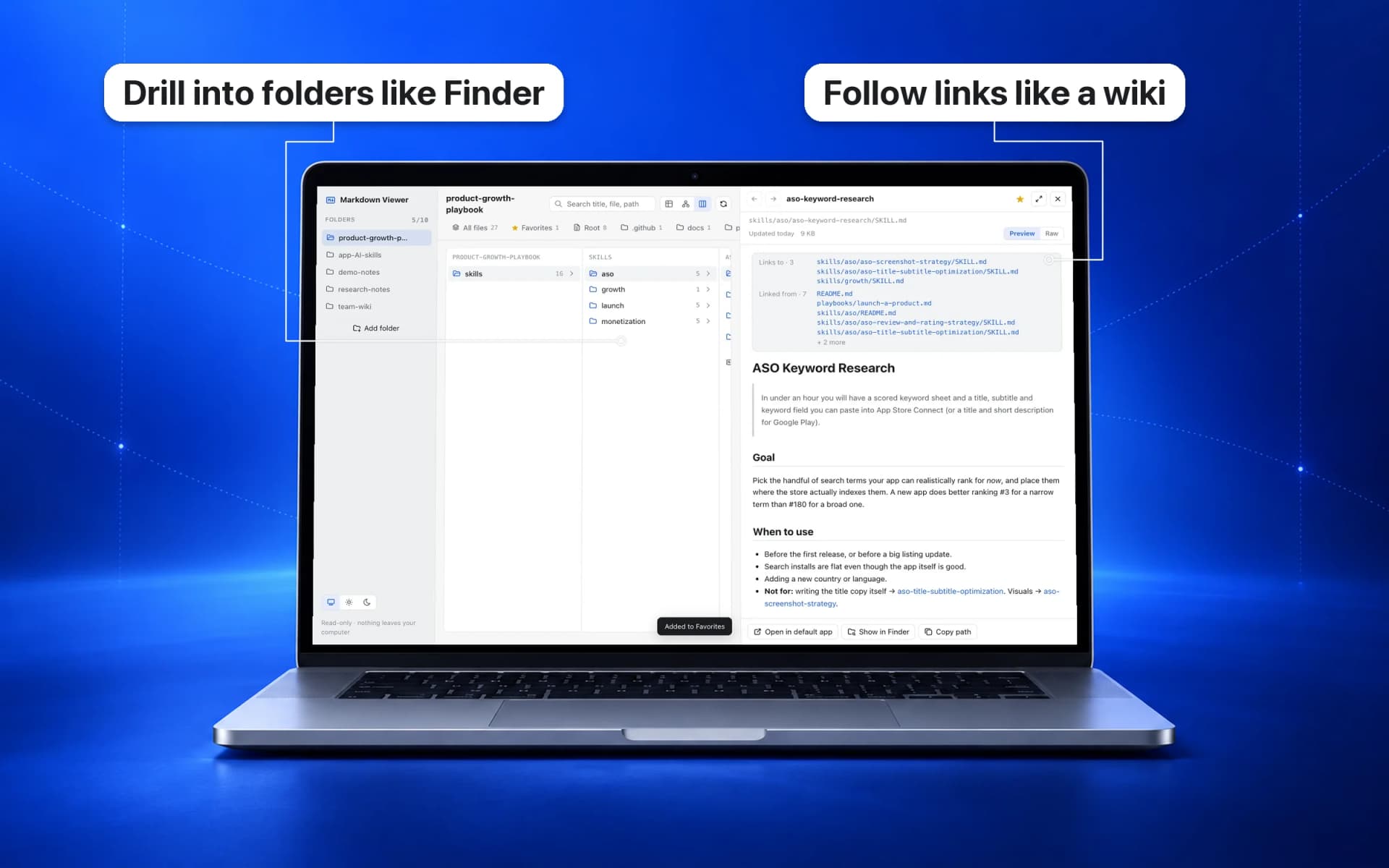
Clean rendering with tables, code, task lists and local images. Follow a link to the next file and jump back when you are done.
All of it free, on Mac and Windows. Linux coming soon.
Learn it in 15 seconds
Recorded in the real app. Tap one to play.
Your files stay yours
It never edits, moves or deletes a file. Look around as much as you like.
Reads just the folders you choose, skipping .git, node_modules and hidden folders.
No account, no analytics, no ads, and no network connections of its own.
Any script inside a Markdown file is removed before display.
Why not just use…
Renders one file nicely.
No map of the folder, no editing, no AI.
Powerful once it is set up.
Open your folder as a vault, find and configure community plugins, then keep them updated.
Lets your AI app reach your files.
You set up a server, then still switch to another app to chat.
Great answers.
Knows nothing about your folder until you paste it in, and cannot save files there.
Open the folder. See the map. Ask Claude beside it.
No vault, no plugins, no server to set up. If Claude Code is on your Mac, it just works.
Free vs Pro
Markdown Everywhere shows you the folder. Markdown Everywhere Pro lets you work in it: edit, add notes, open as many folders as you like, and ask Claude to plan and write docs right next to your files.
Free
Browse, map and read your Markdown folders. macOS 11 or later, Apple silicon and Intel.
Download for Mac ↓$9.99
Everything in the free app, plus editing, unlimited folders and Claude in the folder. Try every feature free for 14 days, then $9.99 once for a key, no subscription. One key works on 2 computers.
Try free for 14 days ↓Buy a key · $9.99| What you get | FreeMarkdown Everywhere | ProMarkdown Everywhere Pro |
|---|---|---|
| Read and understand | ||
| Table, map, folder columns and reader | ✓ | ✓ |
| Search titles and the text of every file | ✓ | ✓ |
| Favorites, pinned folders, live refresh | ✓ | ✓ |
| Folders | ||
| Folders you can add | Up to 10 | Unlimited |
| Ask one question across several folders | — | Soon |
| Edit | ||
| Edit with autosave, find and replace | — | ✓ |
| Asks before overwriting changes from other apps | — | ✓ |
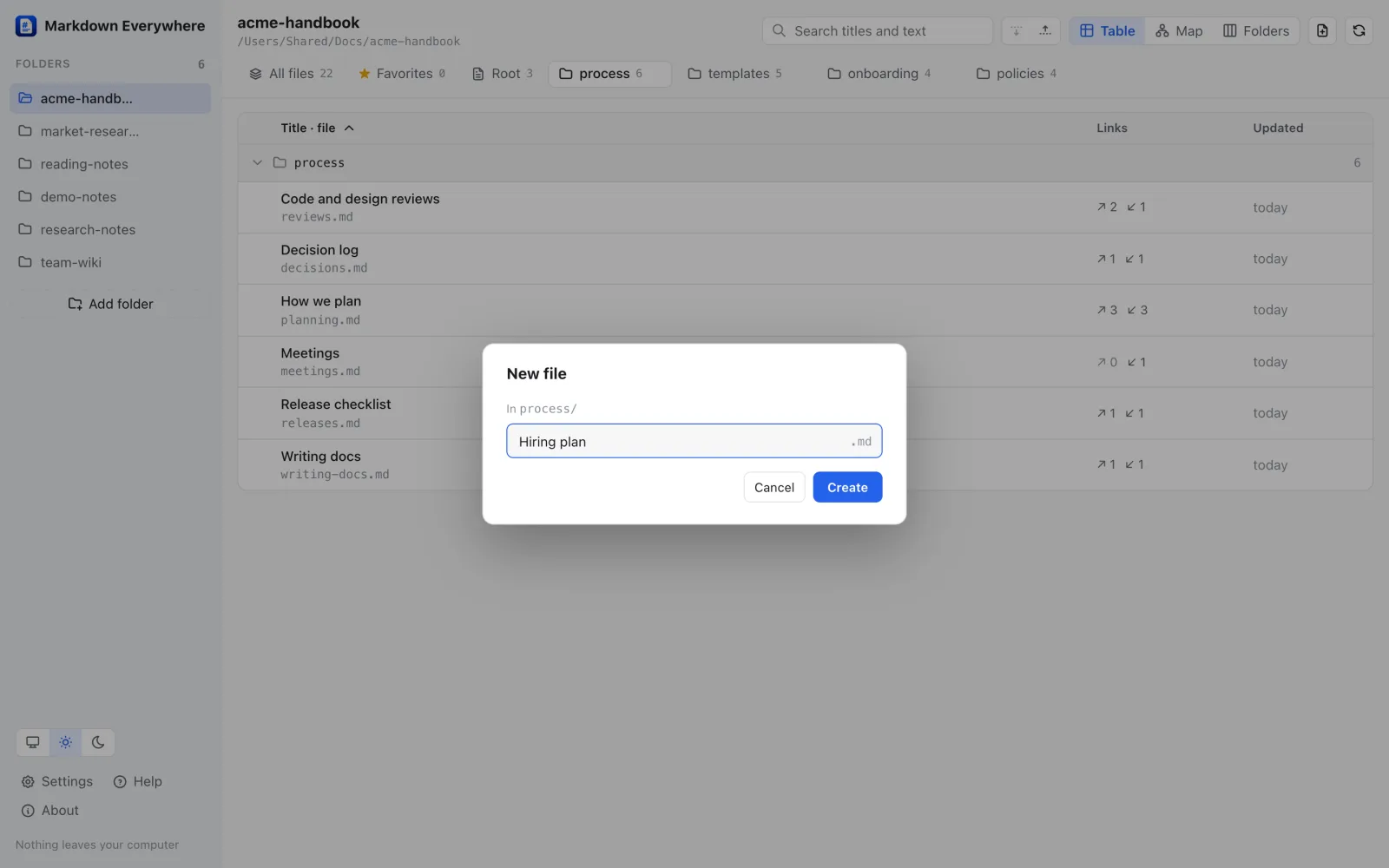
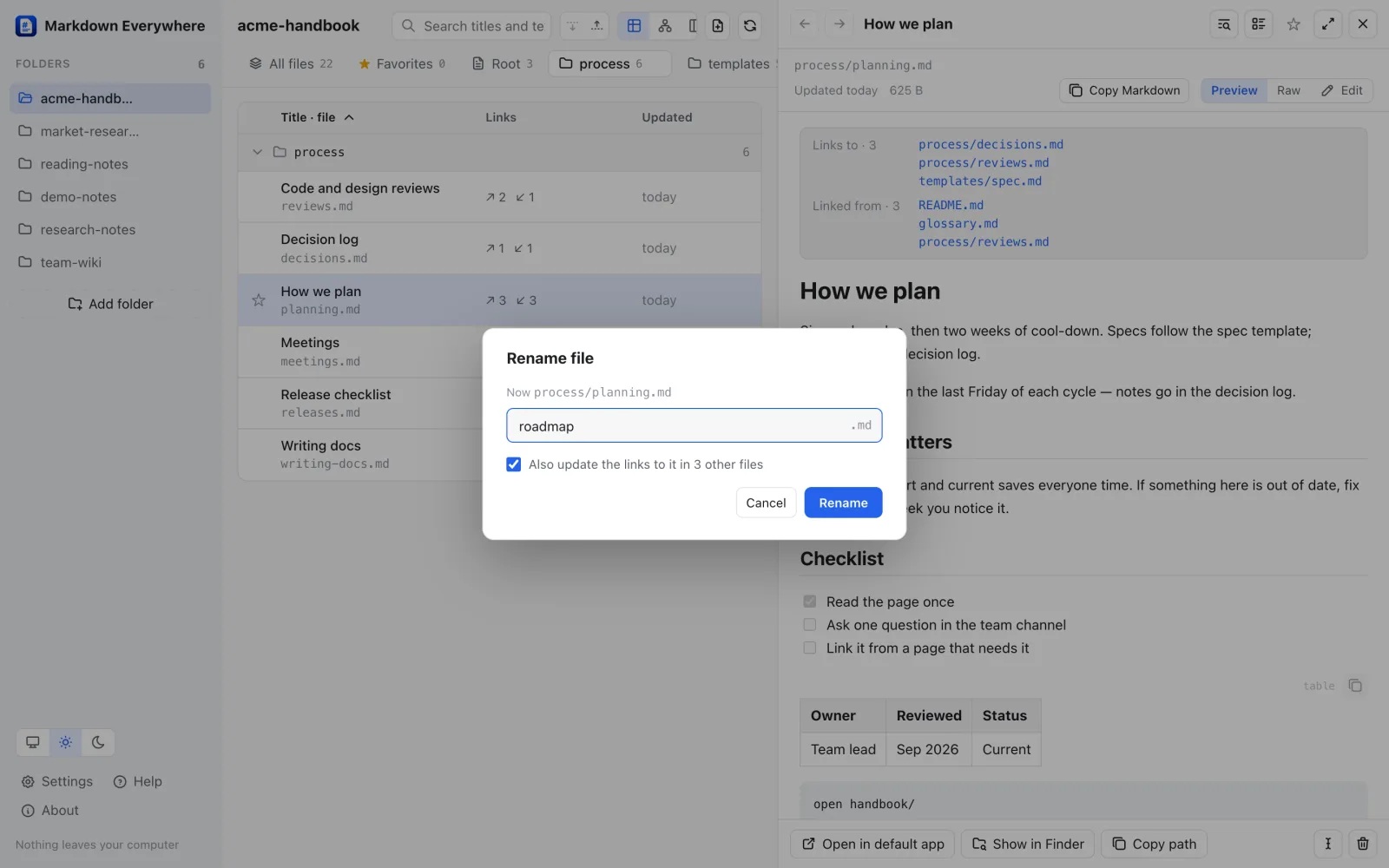
| New file, rename with link updates, move to Trash | — | ✓ |
| + Note on any file, linked on the map | — | ✓ |
| AI in the folder | ||
| Chat with Claude inside the folder (knows CLAUDE.md, skills, open file) | — | ✓ |
| Plan with Claude: a note becomes goal, checklist, out of scope | — | ✓ |
| Claude writes new docs, they appear on the map | — | ✓ |
| Import skills into the folder | — | ✓ |
| ChatGPT (Codex) in the same panel | — | Soon |
| Review each AI change, undo in one click | — | Soon |
| Platform | ||
| Runs on | Mac + Windows (Linux soon) | Mac + Windows |
| Price | Free | 14 days free, then $9.99 once |
Both apps work only in the folders you add, with no account, no analytics and no ads. The Claude panel uses your own Claude Code login and is in the Mac download from this site only (Apple does not allow it in App Store apps; Windows is next). Soon = in the works, no date yet.
Built next, in roughly this order. No dates until they ship.
Next up
Markdown Everywhere Pro, with editing and Claude in your folder, is out now for Mac and Windows (Claude panel on Mac). Next up: a Linux version and ChatGPT in the panel. Get one short email when each is out. That is all.
No spam. Unsubscribe anytime.
From the launch
The posts we put out for each release. Tap an image to see it full size.
Follow along
Every version and the install guide live on GitHub. See what’s new in each release →
Pick Windows or macOS under Free vs Pro, then download the free app or try Pro free for 14 days. Step-by-step install help and all versions are on GitHub: github.com/nvminhtu/markdown-viewer.
Markdown Everywhere is multi-platform: macOS 11 or later (Apple silicon and Intel) and Windows 10 or 11 (64-bit) today. A Linux version is in the works, with the same features and still free. Leave your email on this page to hear when it is out. Markdown Everywhere Pro runs on Mac and Windows too; its Claude panel is Mac only for now.
Yes, on Mac and Windows. Double-click a .md file, use Open with, or drop it on the window, and it opens in the reader. If the app is already open, the file shows up in that window. Files outside your folders are listed under Opened files.
Not on Mac: both apps are signed and notarized by Apple, so they open with a double-click. On Windows, if SmartScreen appears, click More info, then Run anyway.
ShotMatic is our desktop app for managing many projects and AI agents. Markdown Everywhere takes its Docs view and turns it into a small free app of its own.
No. It only reads the folders you choose, on your own computer, with no account and no data collection.
The Pro version, for Mac and Windows. It has everything in the free app, lets you edit files (autosave, new files, rename with link updates, move to the Trash), removes the 10-folder limit, and on Mac puts Claude in a panel next to your files so you can ask about the folder, turn notes into plans and write new docs where they live. Try it free for 14 days, then it is a one-time $9.99 for a license key that works on 2 computers, not a subscription.
Buy a key with the button above. Lemon Squeezy emails it to you right away. In Markdown Everywhere Pro, click License at the bottom of the sidebar, paste the key and click Activate. Moving to a new computer? Click Deactivate on the old one first. Lost the email? Find the key again at app.lemonsqueezy.com/my-orders.
Only when you ask Claude something. The panel runs your own Claude Code, signed in with your own account, inside the folder you have open — the same as running it in Terminal. Markdown Everywhere Pro has no server and no account of its own, and without the panel nothing leaves your computer.
No API key. The Claude panel uses Claude Code with the Claude plan you already have. If Claude Code is not installed, the panel shows the one-line install command. ChatGPT support (through Codex, with your ChatGPT plan) is in the works.
No. Apple does not let App Store apps run other programs such as Claude Code, so the Claude panel is only in the Markdown Everywhere Pro download from this site. The App Store version has everything else: editing, notes and unlimited folders.
Yes. Markdown Everywhere stays free for Mac and Windows. Markdown Everywhere Pro is a separate app for people who also want to edit.
Free for Mac and Windows, Linux coming soon. No account, nothing uploaded, nothing changed.
14 days free, then $9.99 once · Just reading? Free for Mac · Free for Windows