The beach ball, again.
You click and wait. Something is eating memory, and Activity Monitor shows 400 rows of helpers.
 RAM RescueDownload
For Macs that keep beach-balling
RAM Rescue shows which apps eat your memory as big cards with a Quit button, cleans caches apps rebuild by themselves, and — with Pro — warns you before your Mac slows down.
Free & open source · Pro $9.99 once, 14-day free trial · macOS 11+, Apple silicon & Intel
20 seconds
Recorded from RAM Rescue 0.6 with sample data: quit Chrome, clean caches, open History, Guard settings.
Sound familiar?
You click and wait. Something is eating memory, and Activity Monitor shows 400 rows of helpers.
macOS asks you to force quit something. But which app is the real problem?
Some apps never give memory back. You only notice when everything slows down.
You closed the terminal, the server stayed. Nothing will ever stop it.
How it works
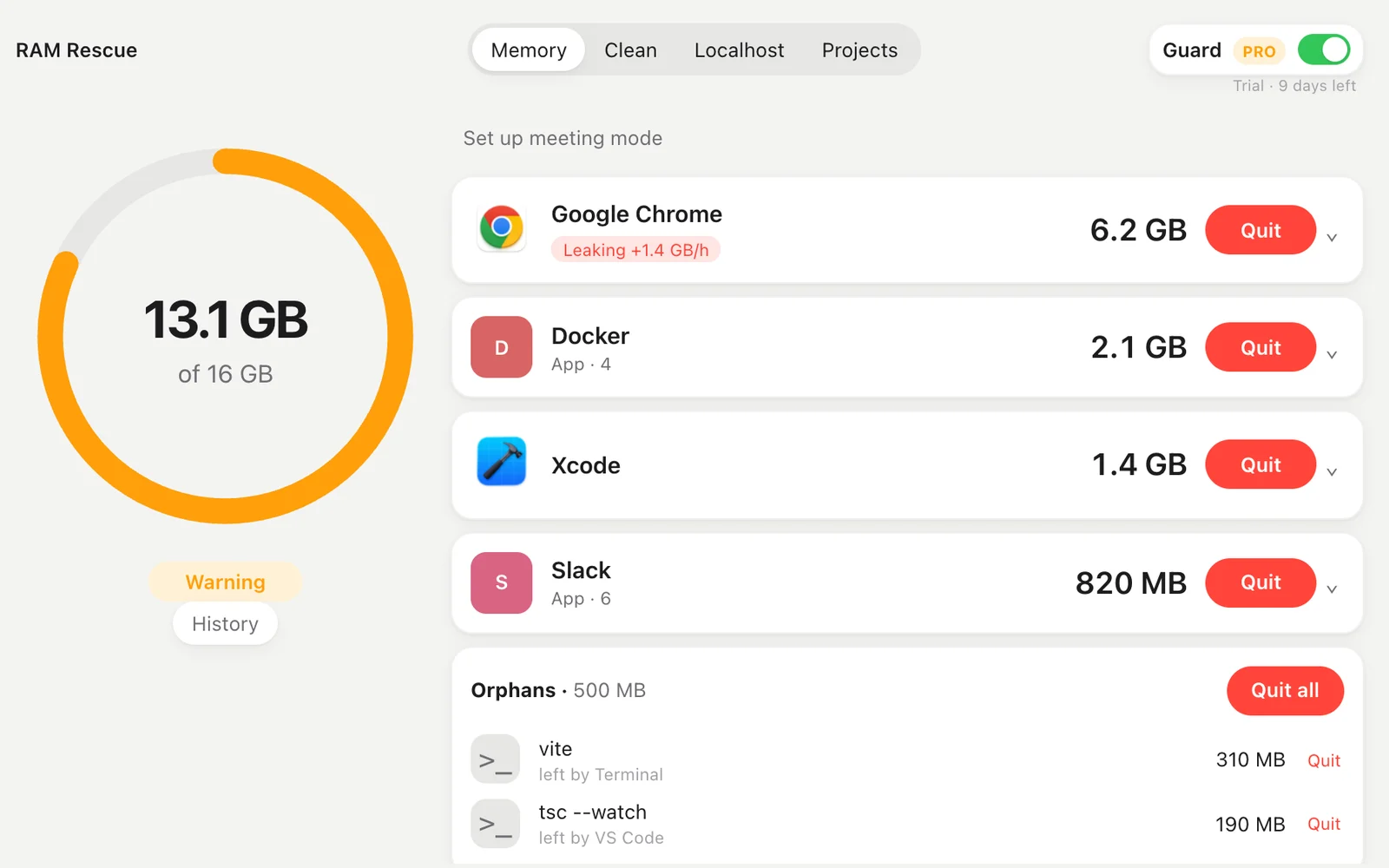
It opens on the Memory tab: how much RAM is in use, and the apps using the most as big cards. Chrome with its 40 helpers counts as one app.
Press Quit on an app. RAM Rescue tells you how much it frees and asks first. Dev processes left behind by closed terminals get their own Quit all.
Turn on Guard. RAM Rescue stays in the menu bar and warns you before your Mac slows down, naming the app to quit.
What it does
Memory
A ring shows how much RAM is in use and how tight it is. The apps using the most are cards with their own icon, the memory in large type and a Quit button you can actually see. Chrome with its 40 helpers counts as one app.
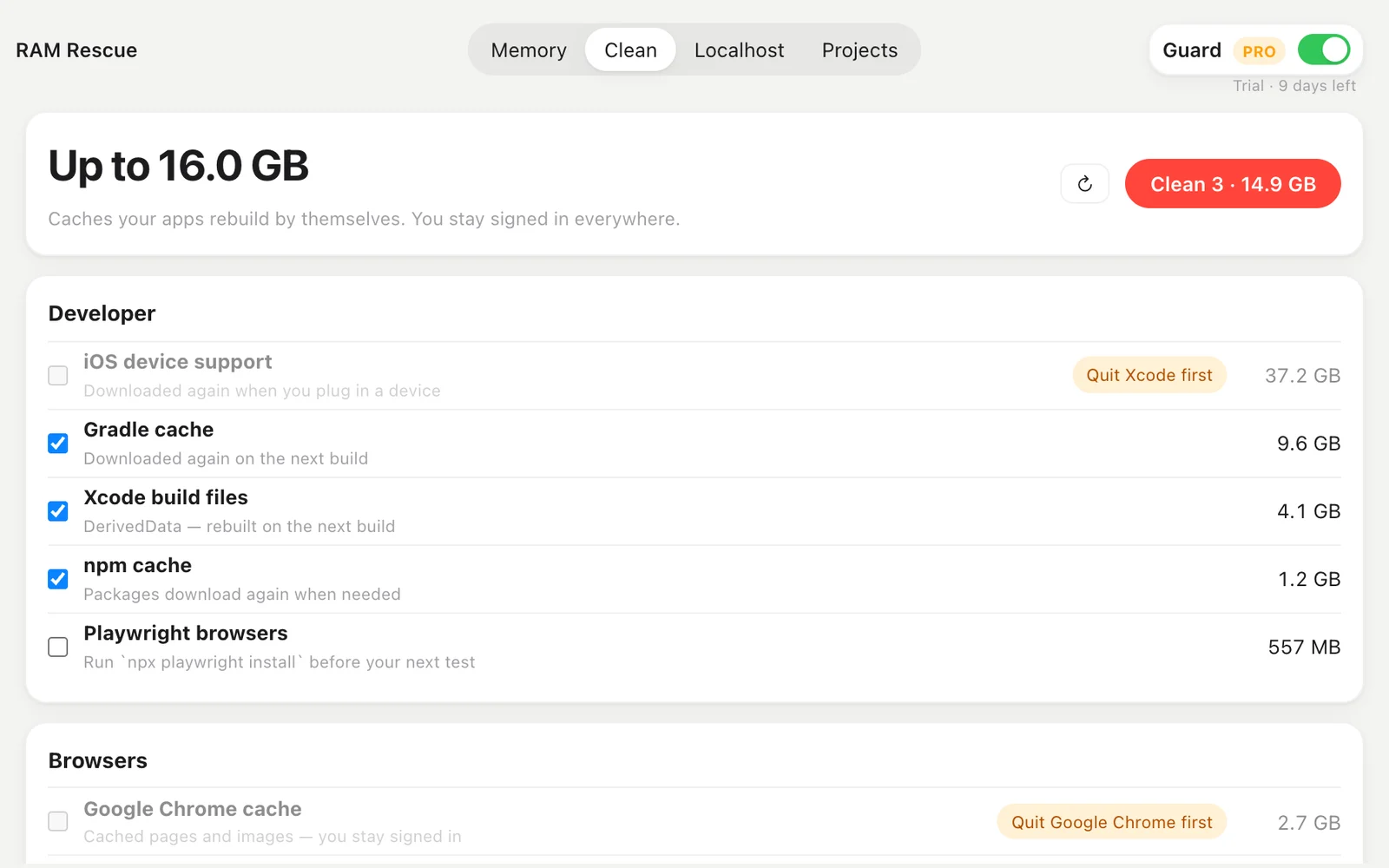
Clean · free
Xcode build files, iOS device support, npm, Yarn, Gradle, CocoaPods, Homebrew, pip and browser caches — measured on your Mac, moved to the Trash when you say so. Never cookies or history: you stay signed in everywhere.
History · Pro
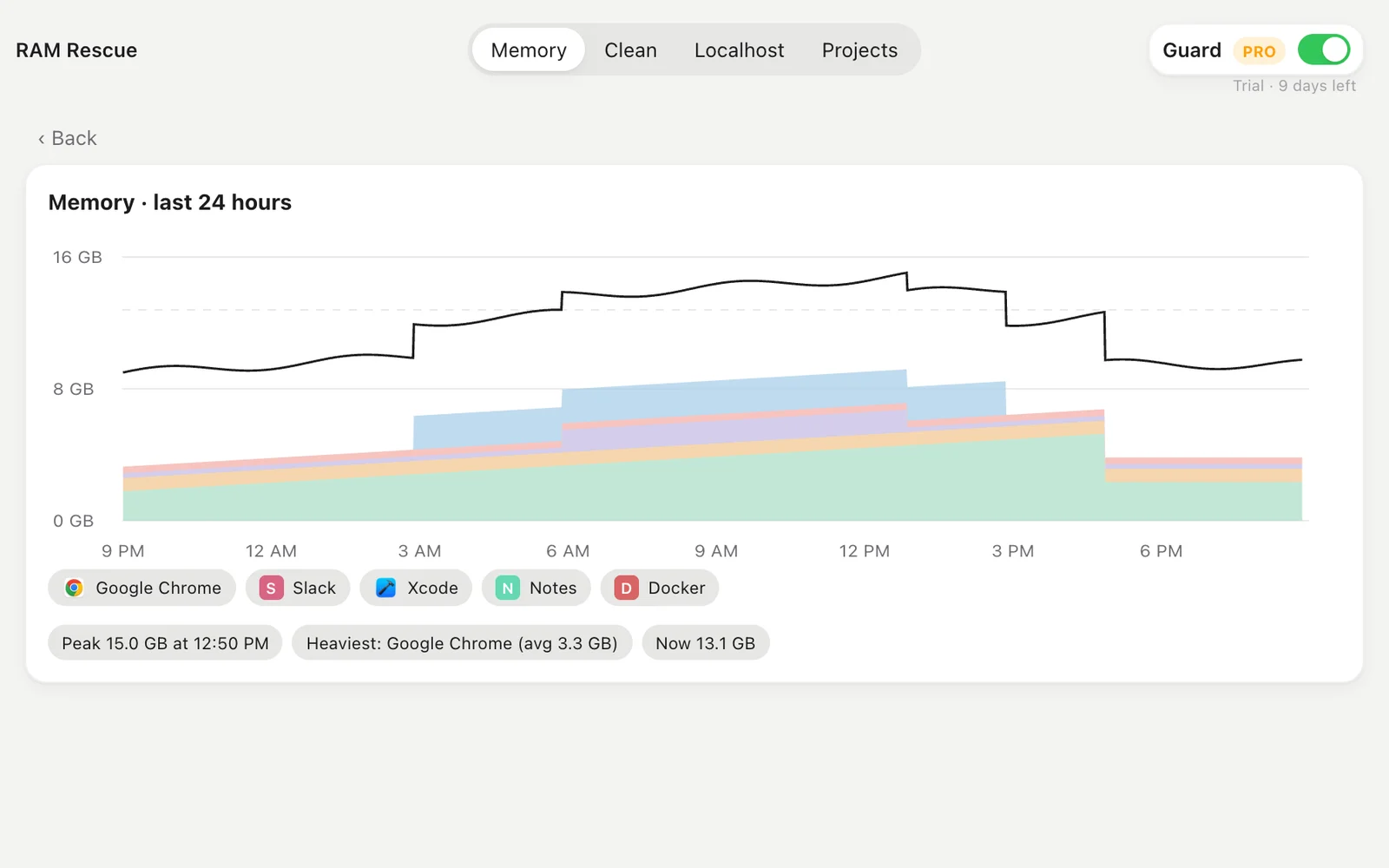
RAM Rescue keeps the last 24 hours of memory by app. Find the peak, the heaviest app, and the moment things went wrong.
For developers
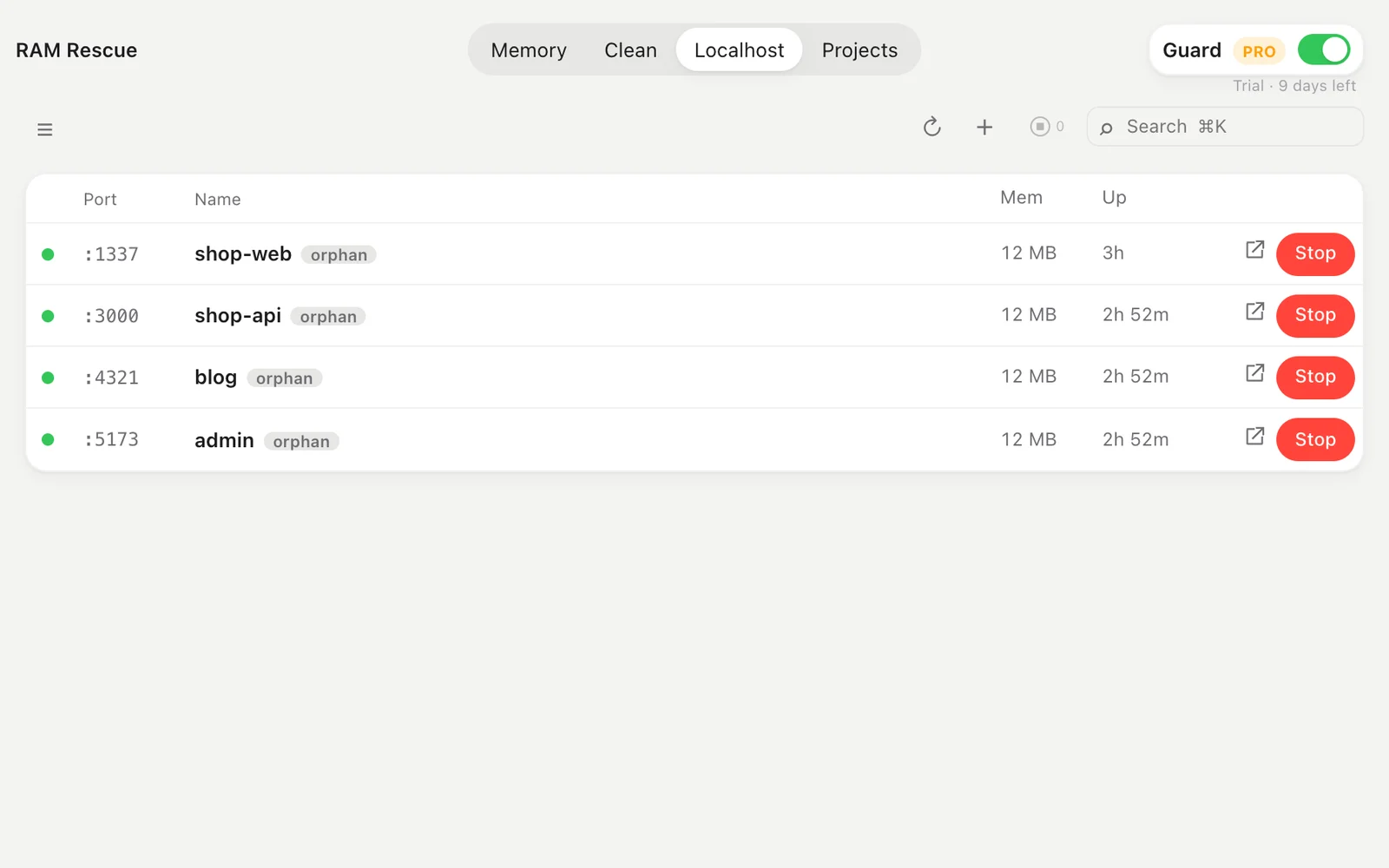
The Localhost tab lists every open port with a health dot, memory and uptime. Projects starts and stops what you build, with a live log.
Short videos
Safe by design
System processes are never quittable. Quit asks an app to close normally, like ⌘Q.
Clean moves caches to the Trash. Nothing is gone until you empty it.
No account, no analytics. The only network call checks a Pro key with Lemon Squeezy.
Developer ID signed, notarized by Apple, MIT code on GitHub.
Pricing
$0
See and quit what eats memory, clean caches, manage localhost servers. Free forever, open source.
Download free for Mac$9.99 once
RAM Rescue watches memory for you. The 14-day free trial starts when you open the app — no card, no account. When it ends, Pro turns off and Free keeps working.
Start the free trial| Free | Pro | |
|---|---|---|
| Memory, Quit, orphans, menu bar | ✓ | ✓ |
| Clean caches | ✓ | ✓ |
| Localhost + Projects | ✓ | ✓ |
| Guard: warnings + leak detection | — | ✓ |
| 24-hour History | preview | ✓ |
| Meeting mode + idle rules | — | ✓ |
No subscription. A key works on 2 Macs. Sold through Lemon Squeezy.
Updates
New features and fixes, a few times a year. No spam, unsubscribe anytime.
No spam. Unsubscribe anytime.
Follow along
FAQ
RAM Rescue never quits macOS system processes, and it asks before quitting anything. Quit asks an app to close normally, like ⌘Q. Clean only moves caches that apps rebuild by themselves to the Trash — never cookies, history, passwords or your files.
Seeing and quitting what uses memory, orphans, Clean, the Localhost and Projects tabs and the menu bar are free, forever. Pro adds Guard (warnings before your Mac slows down, leak detection, auto-quitting orphans), a 24-hour memory history, Meeting mode and idle rules. $9.99 once, 2 Macs, 14-day free trial.
Pro features turn off and everything free keeps working. There is no subscription and nothing renews.
No account, no analytics, no tracking. The only network call is checking a Pro license key with Lemon Squeezy, the store that sells it.
macOS 11 Big Sur or later, Apple silicon and Intel. The download is signed with a Developer ID and notarized by Apple.

Free download. Pro is $9.99 once if you want it to watch for you.
Download free for Mac