 Mac Fix KitEarly access
Coming soon for Mac
Your Mac is full and slow.
Fix both in one app.
Mac Fix Kit shows what is really inside System Data and which apps make your Mac hot, explains each one, and clears what you choose to the Trash.
No spam. Unsubscribe anytime.
- Trash, never delete
- Undo any cleanup
- $19 once, planned
- macOS 14+
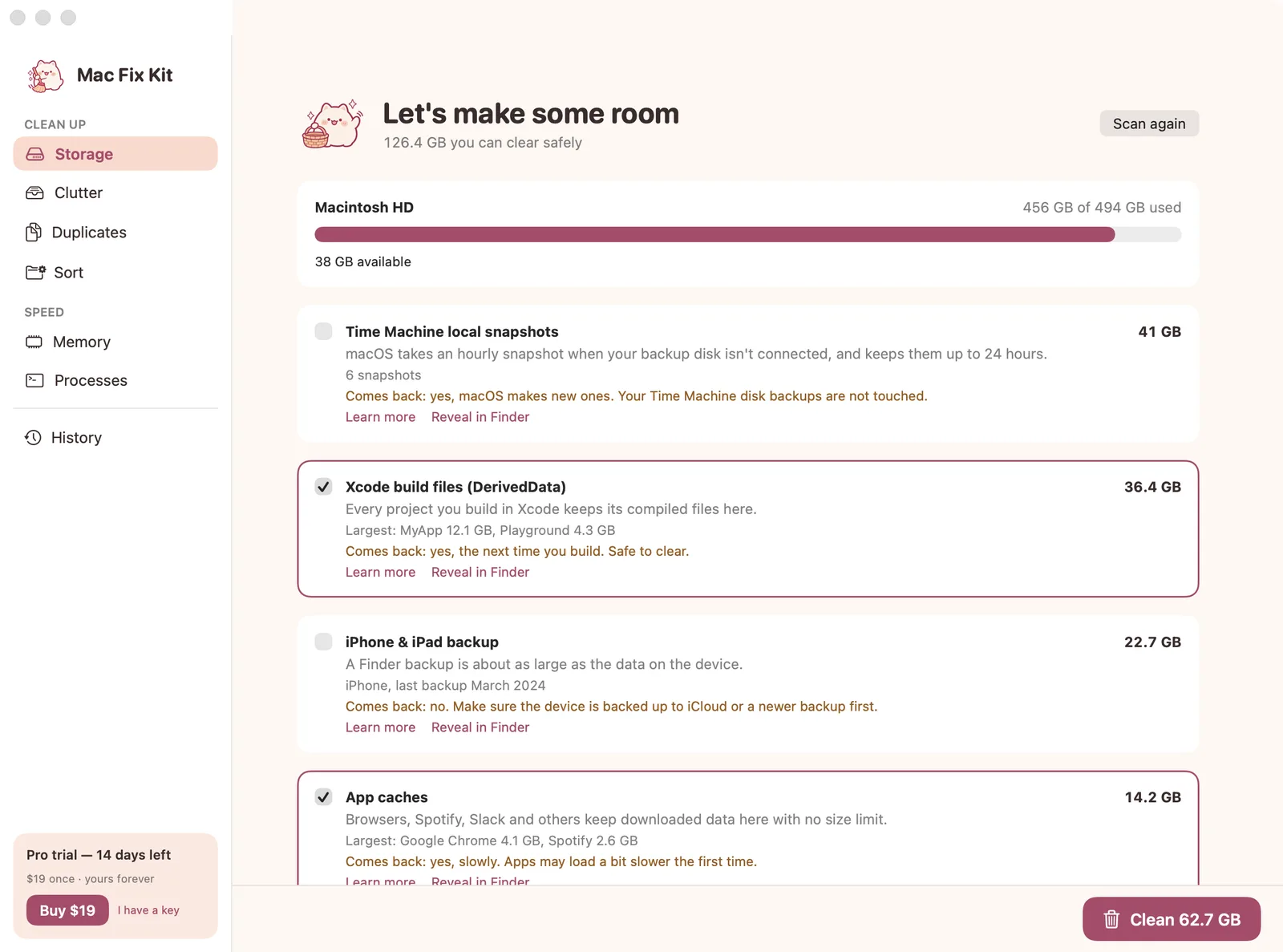
- Time Machine snapshots41 GB→ Trash
- Xcode build files36.4 GB→ Trash
- iPhone backup, March 202422.7 GBCheck first
- App caches14.2 GB→ Trash
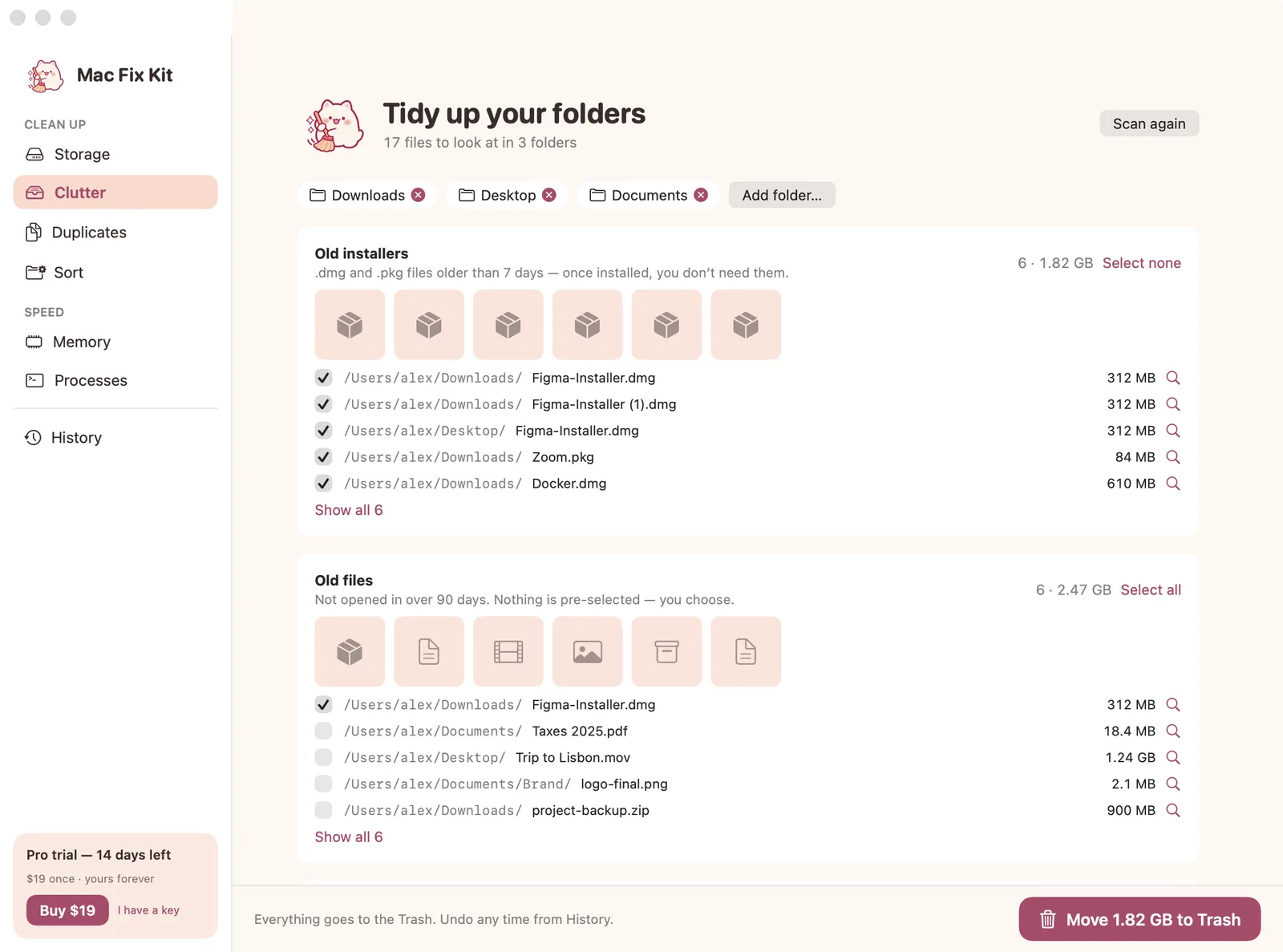
- Old installers (.dmg)1.8 GB→ Trash
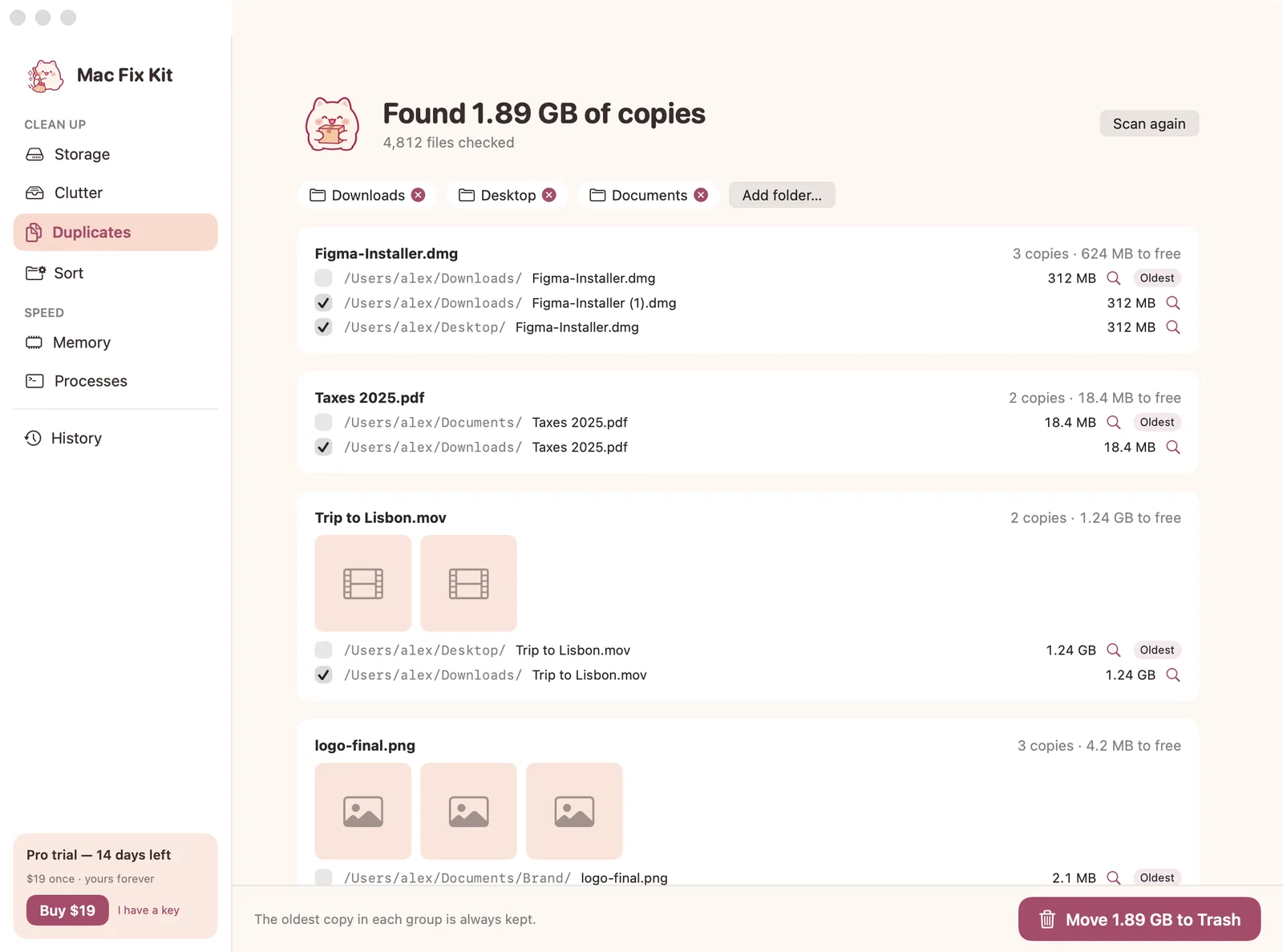
- Duplicate copies1.9 GB→ Trash

Sample data from the app
Inside the app
Seven tabs. Two jobs.
Real screens from the build in progress, with sample data. Click any screen to see it full size.
Sound familiar?

“Your disk is almost full.”
You deleted photos and old downloads. Storage still says 40 GB of System Data, and nothing tells you what it is.
System Data: 120 GB. Of what?
Caches, iPhone backups, Time Machine snapshots and developer files all hide in one grey bar with no delete button.
The fan spins up for nothing.
Activity Monitor shows 400 rows. One app is burning the CPU, and you cannot tell which one is safe to quit.
$40 a year to clean a disk?
Big cleaner apps want a subscription, and many free fixes mean pasting Terminal commands you do not trust.
Watch Mac Fix Kit fix it
16 seconds each, made from the real screens.
How it will work
Three steps. Nothing deleted without you.
- 1
Open Mac Fix Kit
It measures your disk and the apps running right now. Nothing is deleted on the first run.
- 2
Read what is big
Each item says what it is, why it grew and whether macOS will rebuild it.
- 3
Clear what you choose
Everything goes to the Trash first, so you can put it back.
Storage
See inside System Data.
The grey bar, broken into things with names and sizes, measured on your Mac. Each one says why it grew and whether macOS makes it again.
- Time Machine local snapshots
- App and browser caches, Xcode DerivedData and simulators
- Old iPhone and iPad backups, flagged “check first”
- Clean selected sends it all to the Trash
Speed
Find what makes it hot.
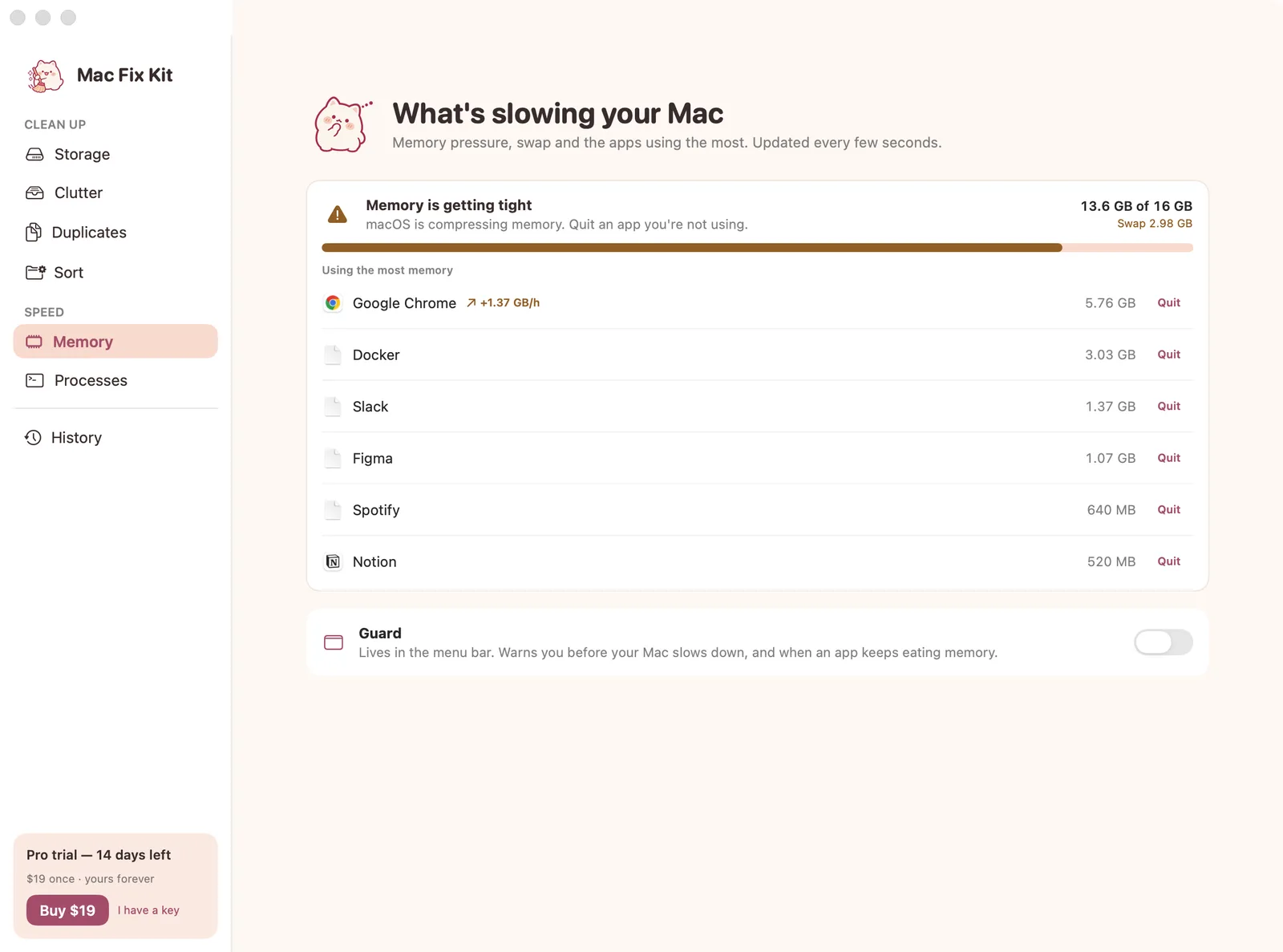
Memory pressure the way macOS sees it, the apps using the most, and the dev servers you forgot to stop. Quit asks the app to close, like ⌘Q.
- Apps that keep eating memory get an arrow
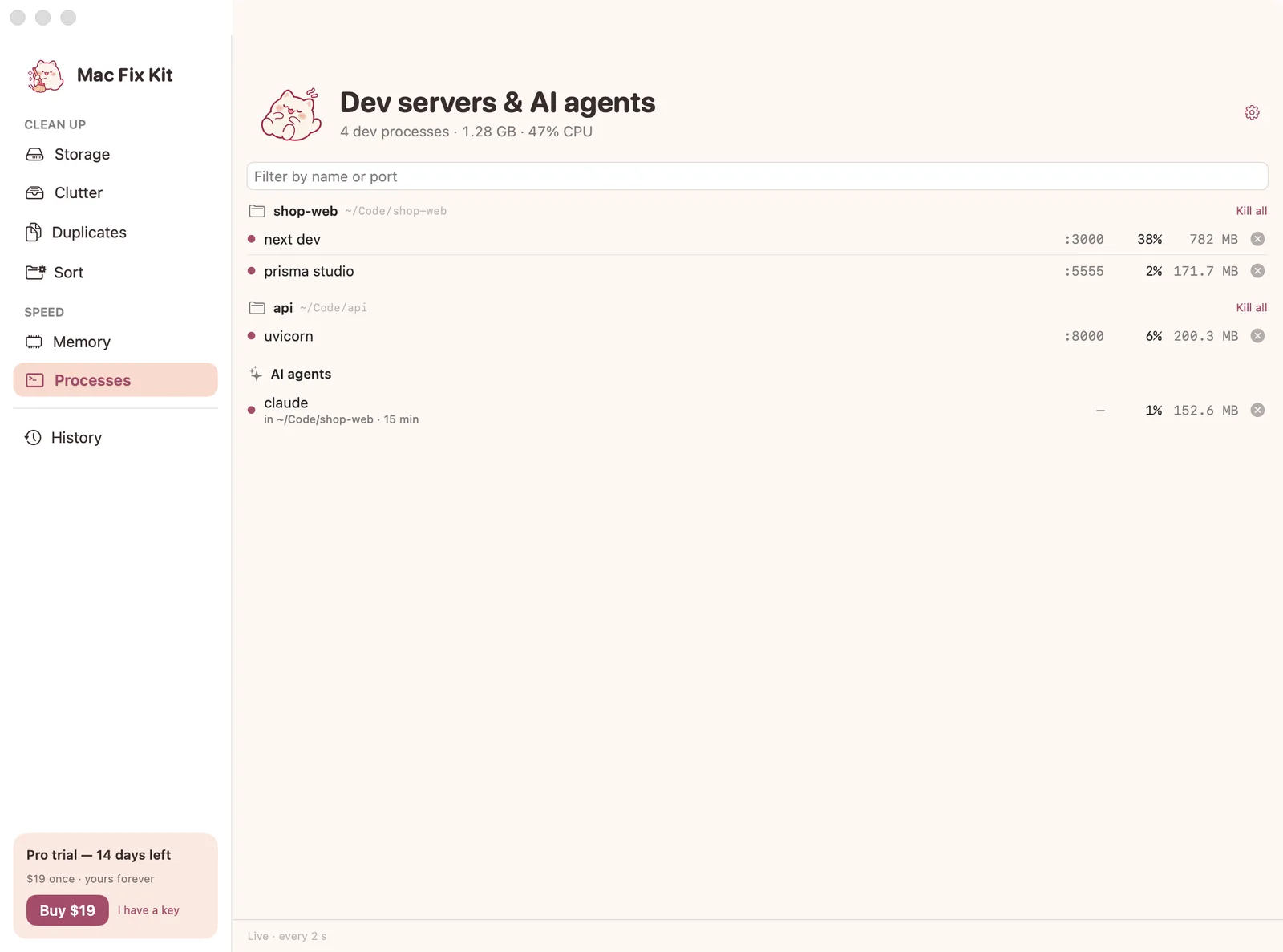
- Leftover dev servers and AI agents, grouped by project
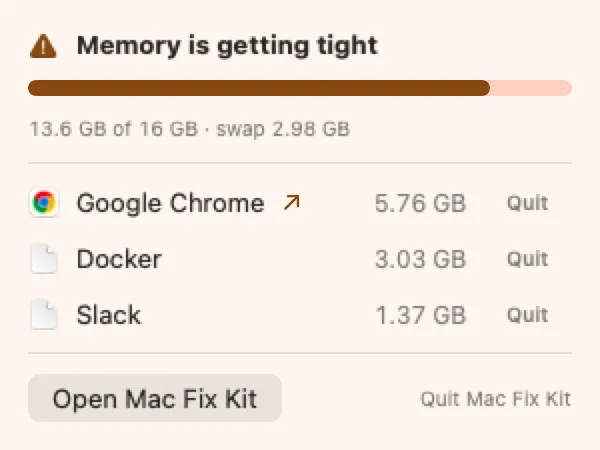
- Guard in the menu bar warns you before a freeze
- Never shows or quits macOS system processes
Everything in 1.0
Sweepy and RAM Rescue, together in one app.
- System Data mapSnapshots, caches, Xcode, backups, with sizes
- Plain-English reasonsWhat it is, and whether it comes back
- ClutterOld installers, old files, big files, with thumbnails
- DuplicatesCopies side by side, the oldest one kept
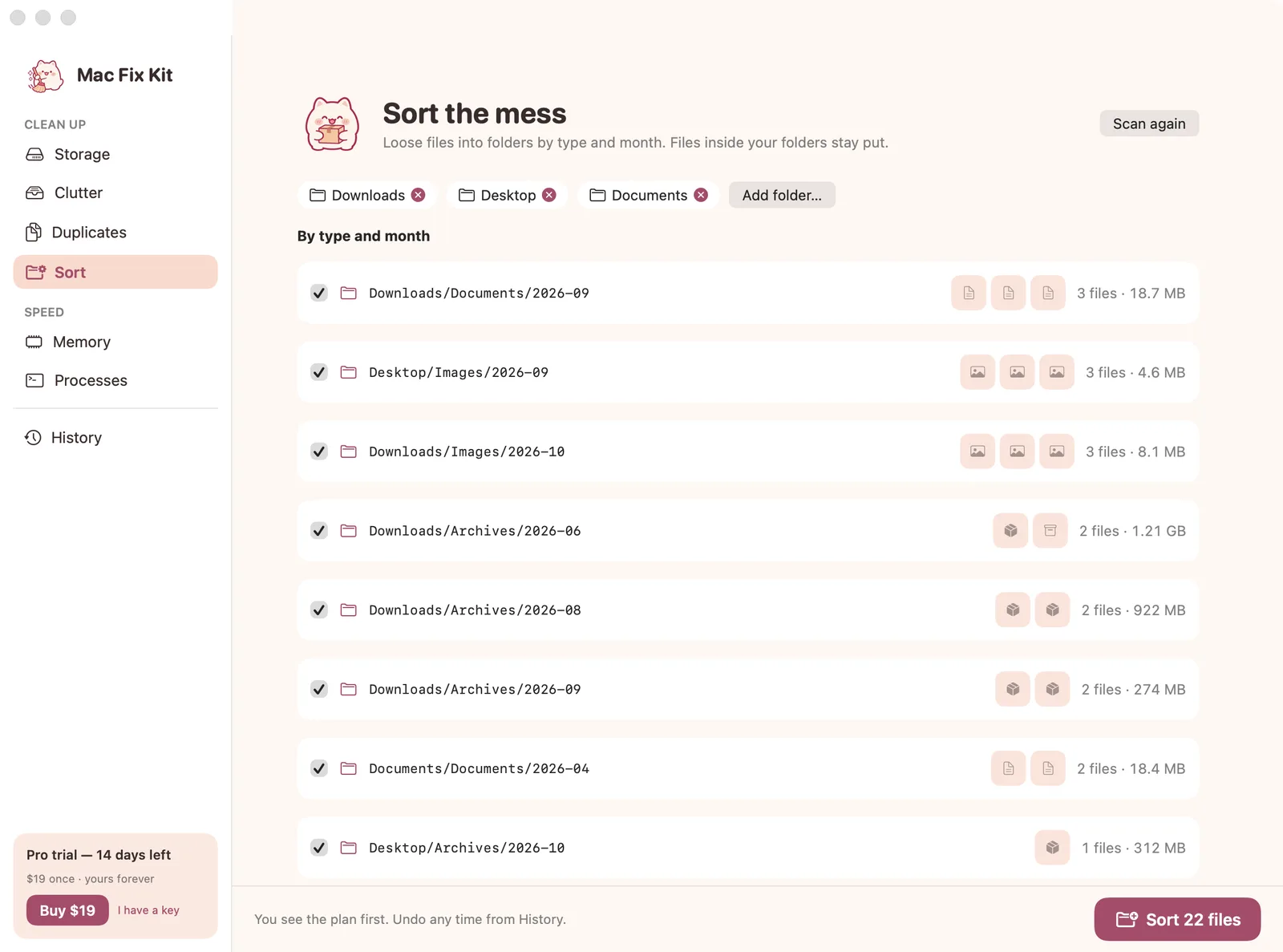
- Sort by type and monthImages/2026-09, Documents/2026-08…
- Memory and hot appsPressure, swap, top apps, quit one at a time
- Dev servers and AI agentsGrouped by project, stop one at a time
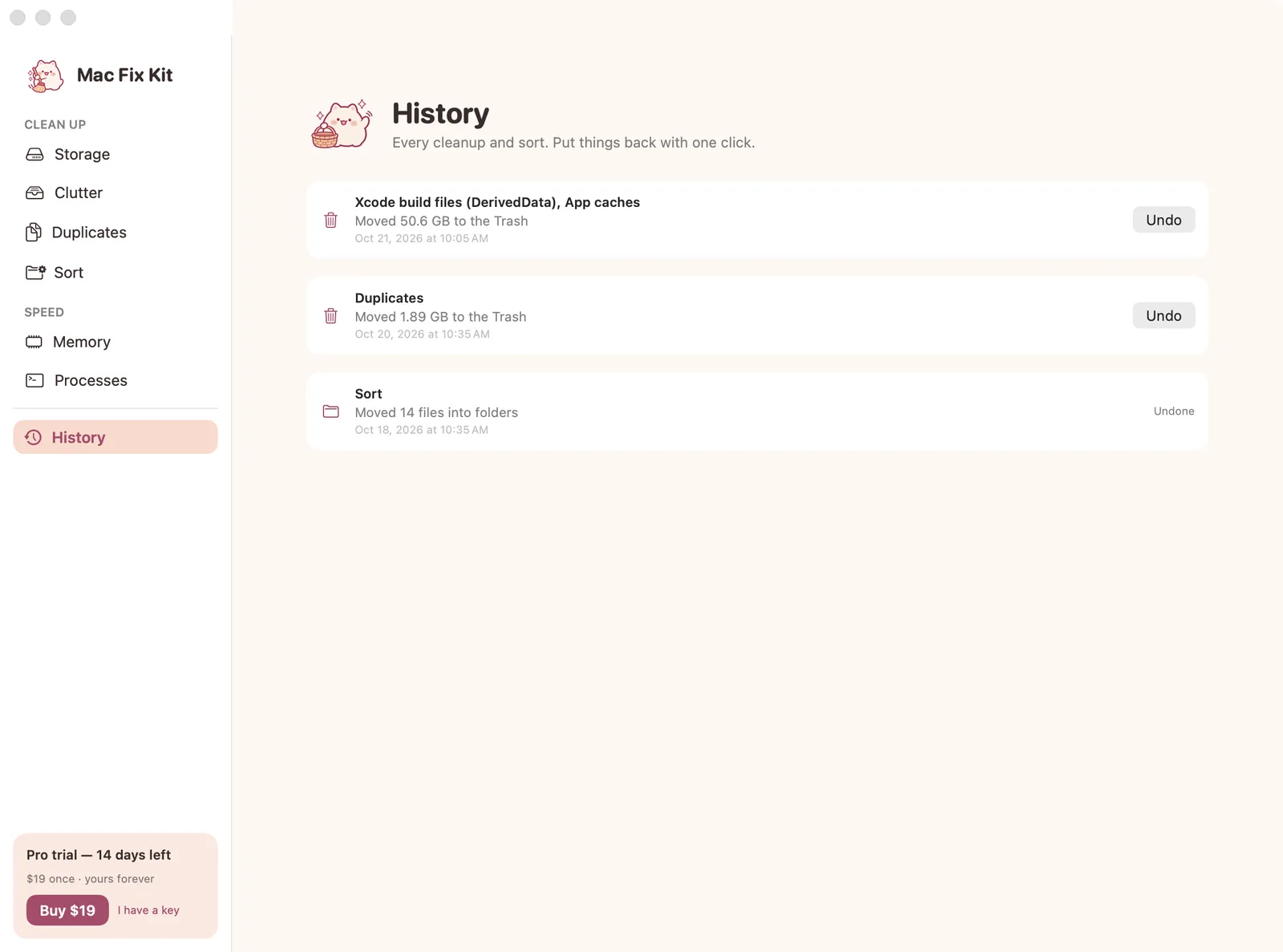
- History with UndoPut back any cleanup or sort
- Clean in one clickProClean selected, snapshots, duplicates in bulk
- Sort for realProMove the files into the planned folders
- Kill allProEvery process of a project, or everything hot
- GuardProMenu bar warning before your Mac freezes
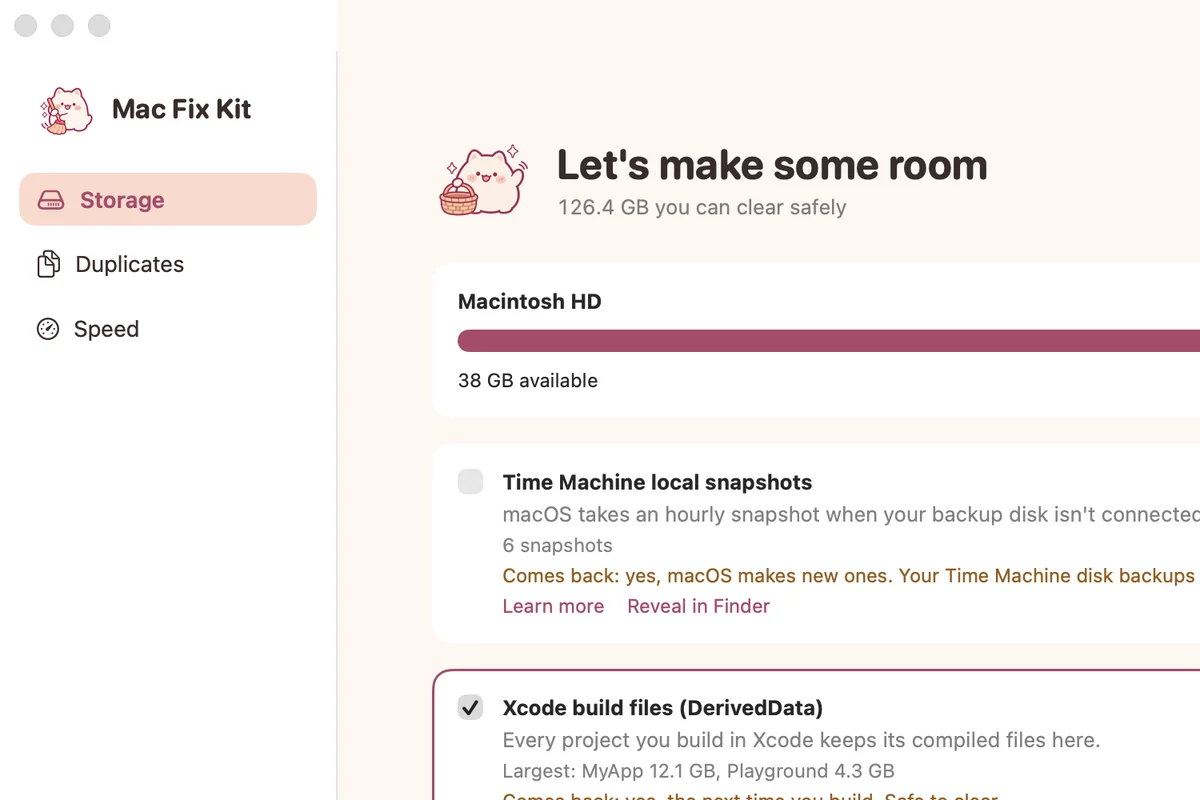
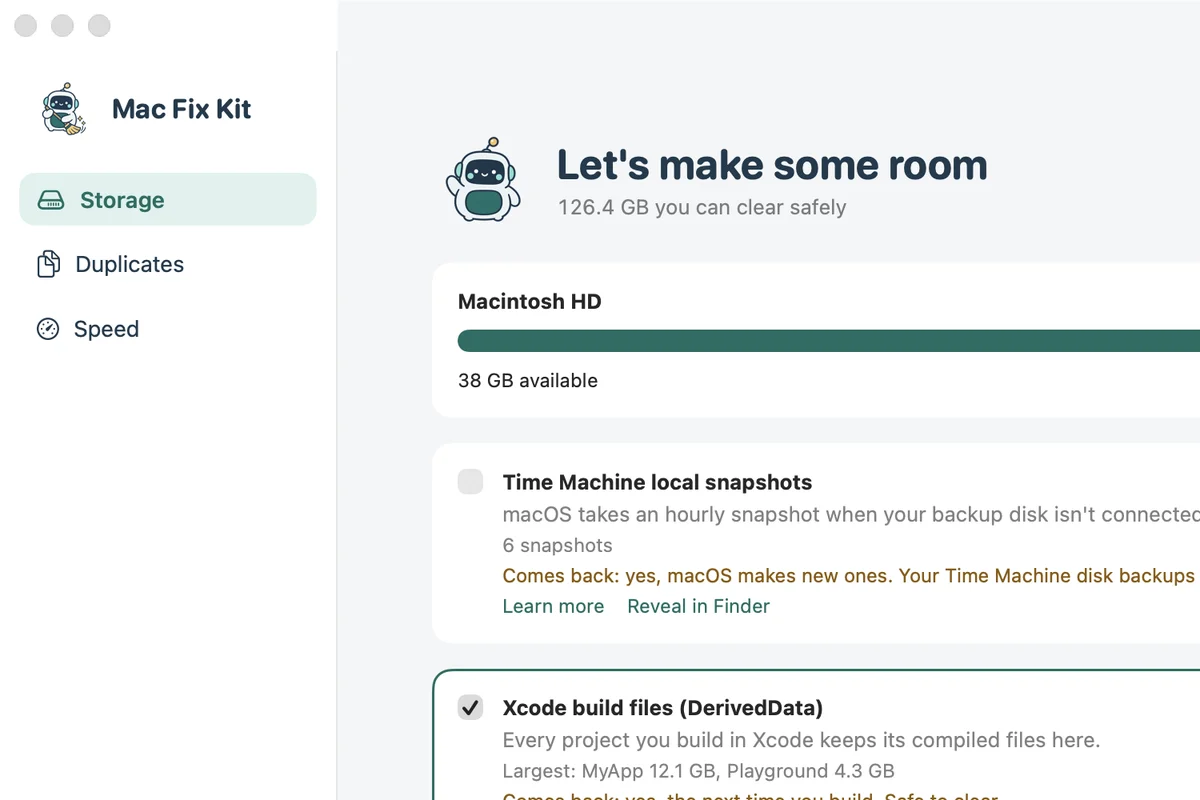
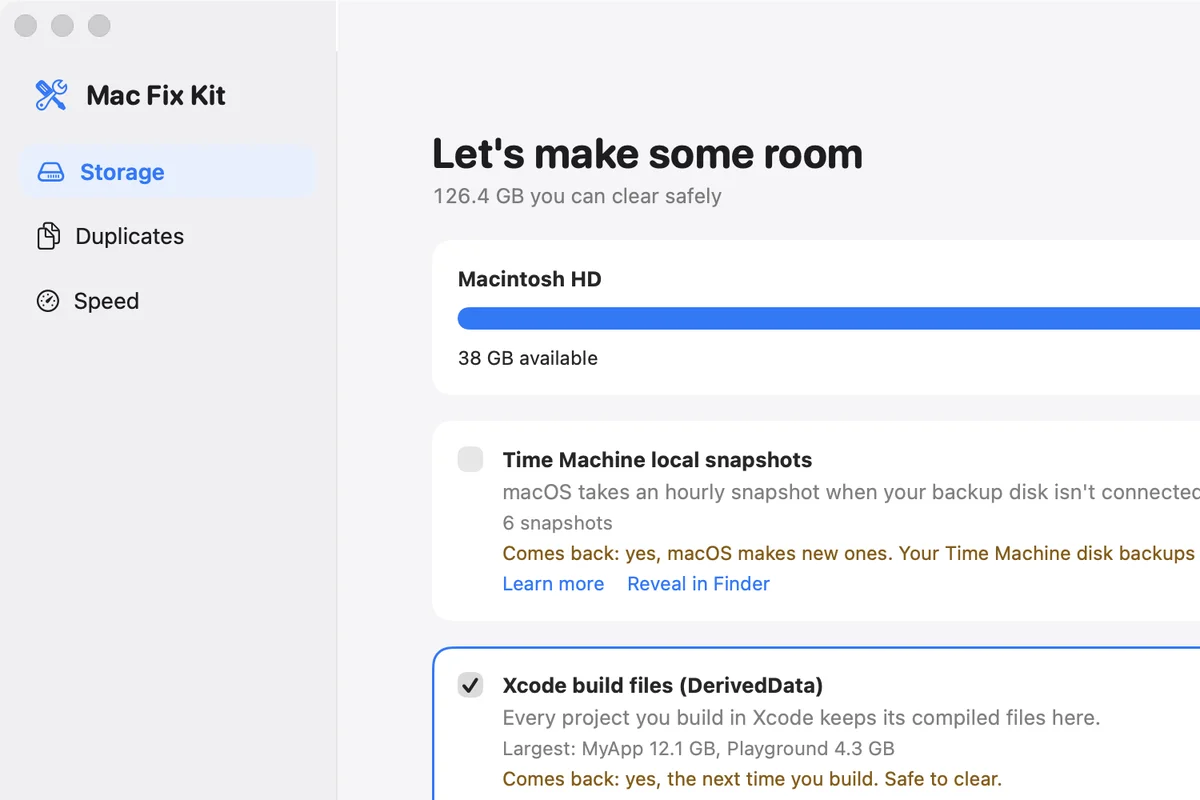
Pick your look
Same app, three styles.
Switch any time in Settings, Appearance. Every style has the same features.
Price
$19 once. Not $40 every year.
Planned price. Mac Fix Kit is not on sale yet, and early-access members hear first if it changes.
Free
$0
See everything: the System Data map, clutter, copies, memory and hot apps. Clean by hand and quit one app at a time.
Get early accessMac Fix Kit Pro
$19 once
Clean in one click, sort for real, Kill all and Guard. Try every Pro feature free for 14 days; after that it keeps working as the free version.
Get early access| Mac Fix Kit | Big cleaner apps | Terminal + our guides | |
|---|---|---|---|
| Price | $19 once (planned) | about $40 a year, or about $120 once | Free |
| Explains each item | Yes, in plain English | Partly | You read the guide |
| Deletes to the Trash first | Always | Varies by tool | Terminal deletes for good |
| Hot and slow apps | Yes | Yes | Activity Monitor |
| Account or upload | None | Account for some features | None |
Big cleaner prices are from public reviews in October 2026 and change often. A key will work on 2 Macs.
Safe by design
It clears files. Carefully.

Trash, not delete
Everything Mac Fix Kit clears goes to the Trash. Nothing is gone until you empty it.
Undo any cleanup
History keeps every cleanup and sort. Undo puts it all back.
No scare scans
No red alerts, no “14,382 problems found”. Real sizes, real names, your call.
Nothing leaves your Mac
No account and no cloud. The only network call will check your license key.
Leaves macOS alone
System processes are never listed or quit, and nothing under /System is touched.
Signed and notarized
Built in Swift for macOS 14 and later, signed with a Developer ID and notarized by Apple.
Early access
Get the beta before anyone else.
- One email when the beta .dmg is ready, signed and notarized
- A 14-day trial with every Pro feature, no card
- After the trial it keeps working as the free version
No spam. Unsubscribe anytime.
Rather do it yourself?
Free guides, tested on a real Mac.
Follow along
Built in the open.
Good to know.
When can I get it?
Mac Fix Kit is in development. Leave your email and you get one note when the beta is ready, nothing else.
Can I change how it looks?
Yes. Settings, Appearance has three styles: Kawaii (cream and rose with Mochi the cat), Robot (teal with Bolt the robot) and Classic (plain macOS, no mascot). Every style has the same features.
How much will it cost?
The plan is $19 once for the full app, no subscription, with a free trial first.
Is it a cleaner that scares you with red warnings?
No. It only shows what is on your disk with real sizes, explains each item, and never deletes without asking. Nothing is removed permanently: it goes to the Trash.
Can I do this myself for free?
Yes, and our free guides show the Terminal commands step by step. Mac Fix Kit is for people who would rather see it and click once.

Be first when it ships.
One email when the beta is ready. No newsletter, no spam.
No spam. Unsubscribe anytime.