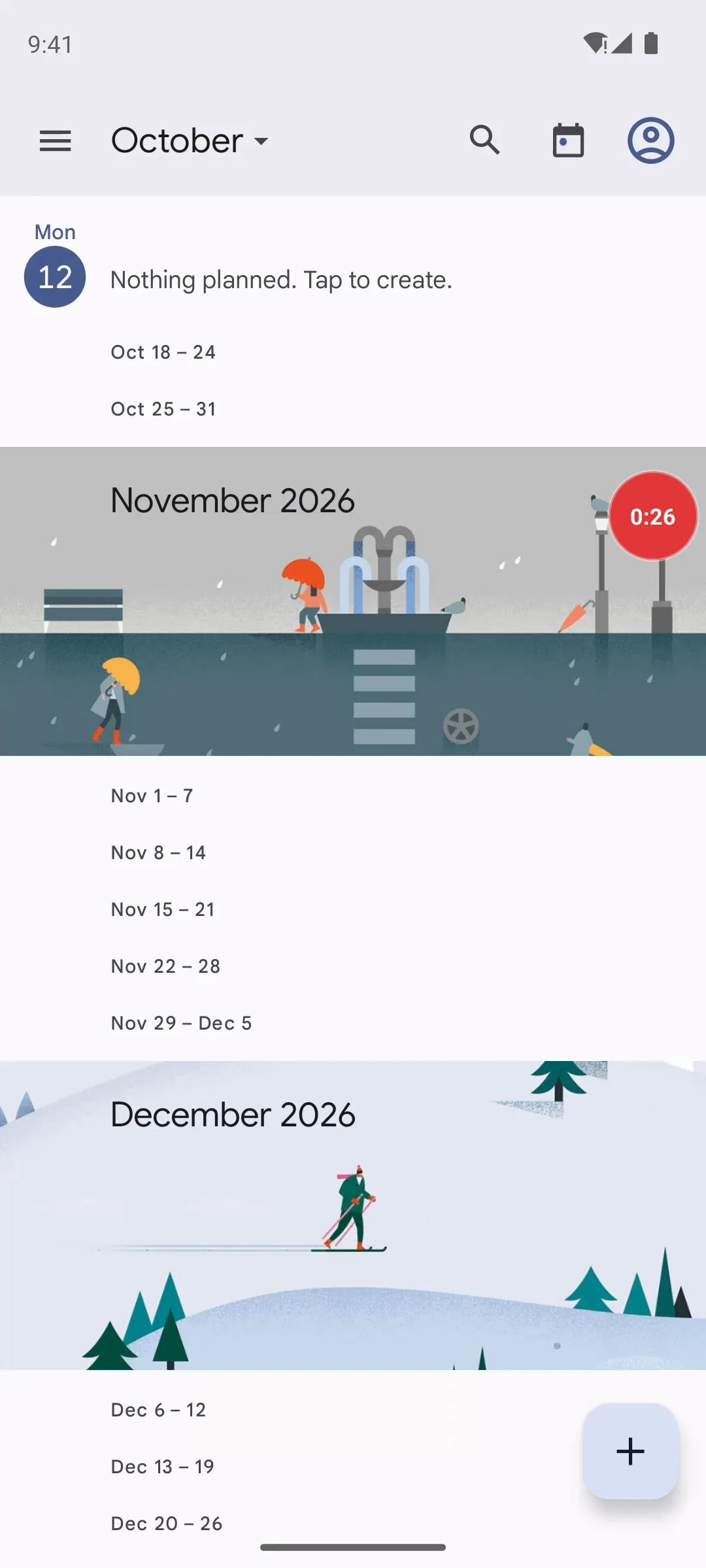
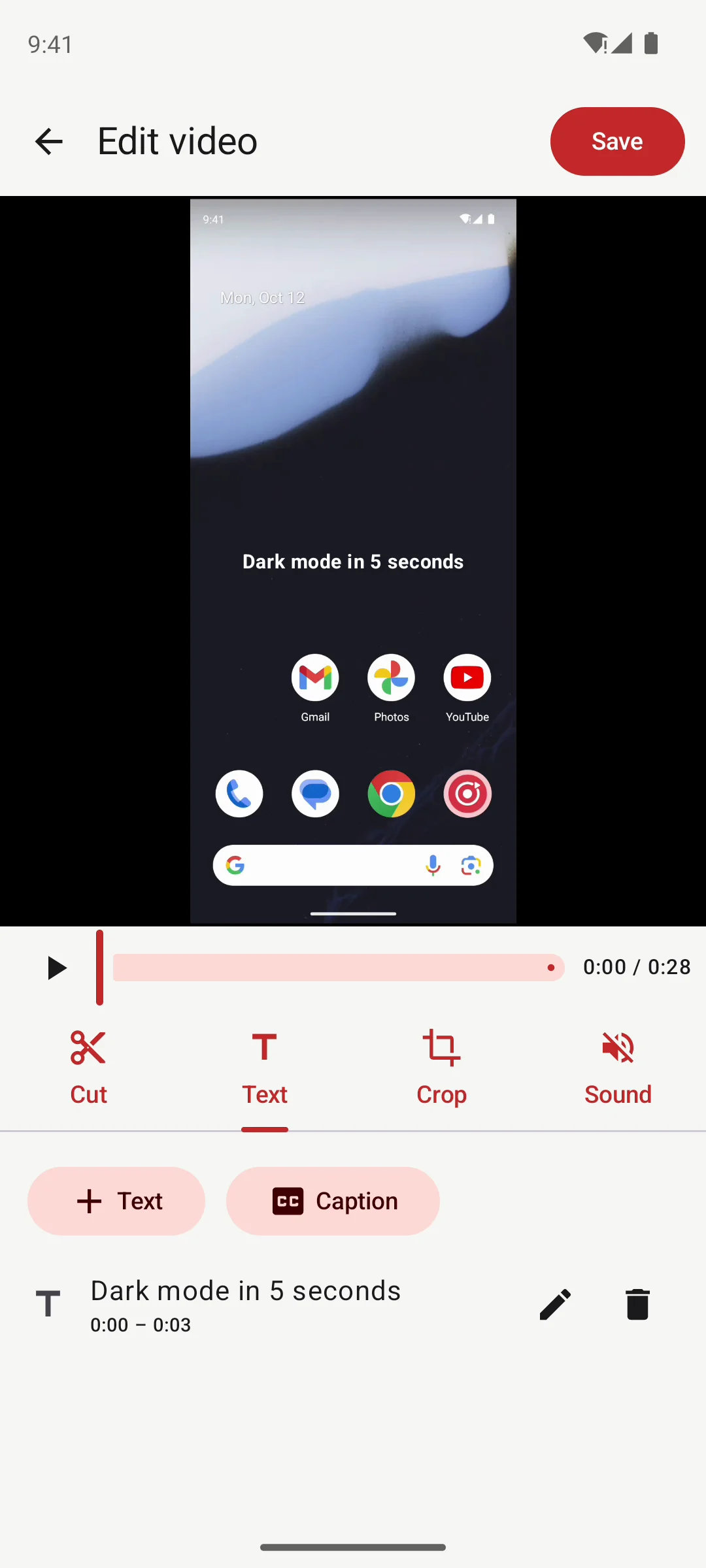
TapRec records your screen with sound from a floating button that works in every app. Trim it, add a title, then share it, or send it straight to your computer.
Coming to Google Play · No watermark · No account · Pro $4.99 once
REC
Real app, recorded on Android
Record, edit, send. 30 seconds.
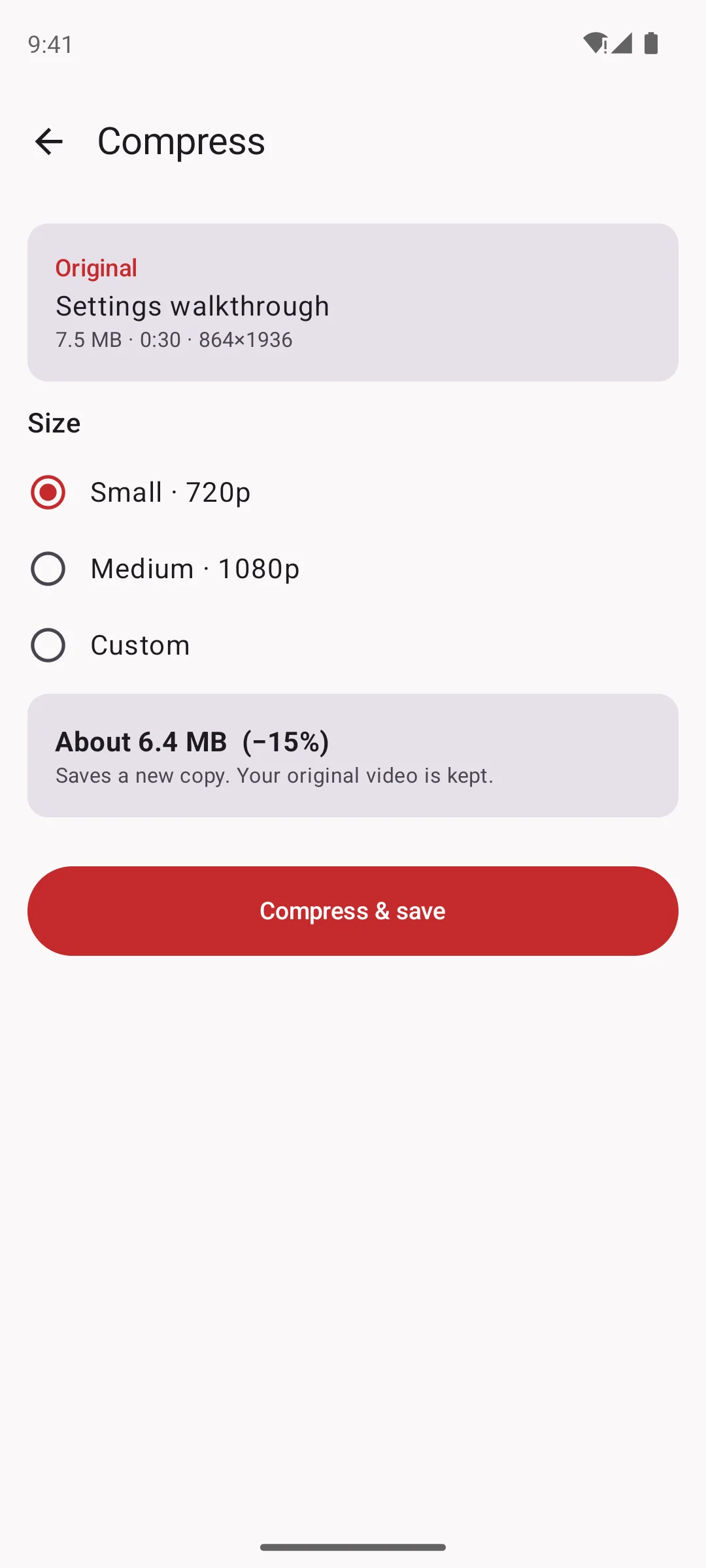
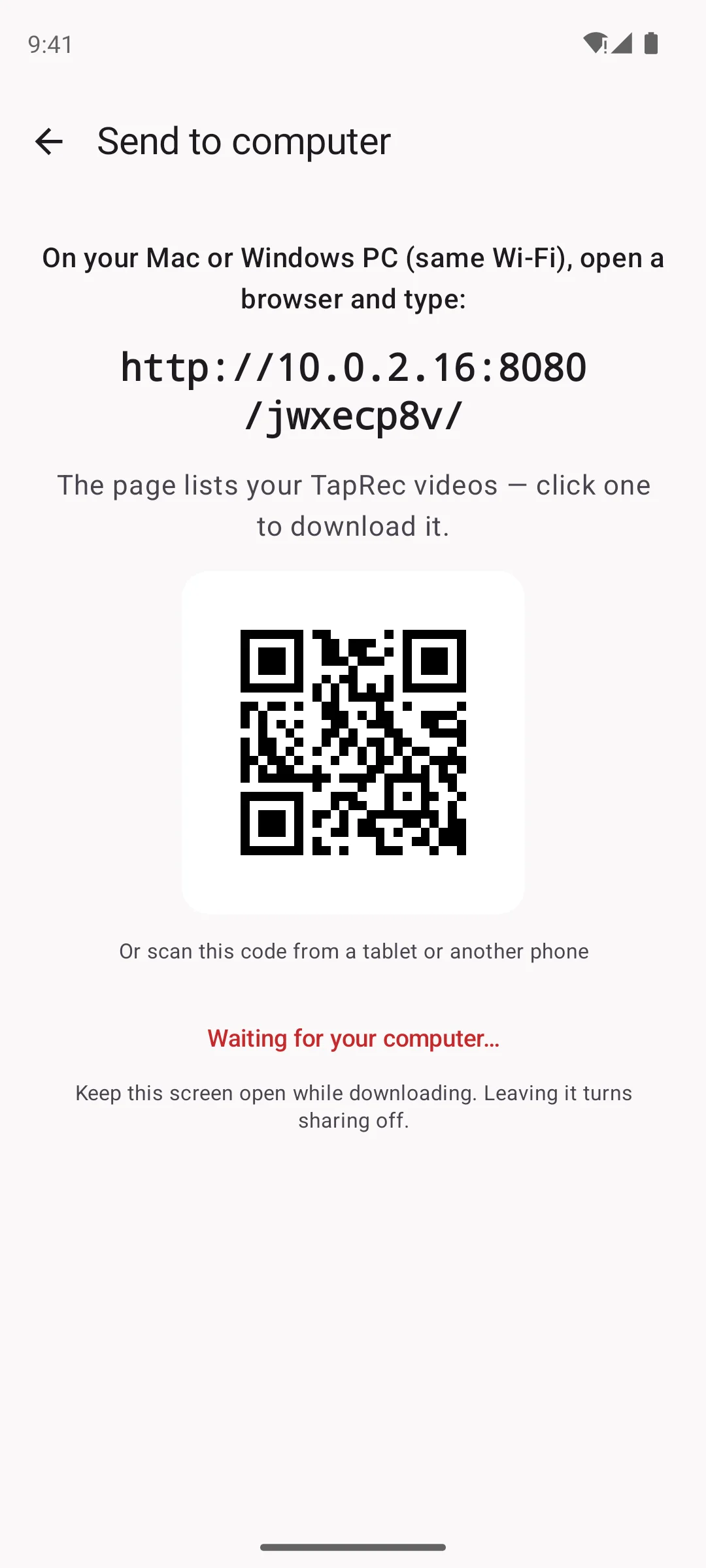
Floating button, countdown, a title on the video, then the two Pro tools. Every frame is the real app.
Sound familiar?
Recording the screen should be the easy part.
“Where is the record button again?”
The built-in recorder hides in Quick Settings, and stopping it means pulling the shade down into your video.
“Why is there a logo on my video?”
Many free recorders stamp a watermark on every clip, or stop after a few minutes until you pay.
“File too large to send.”
A couple of minutes of 1080p can run to hundreds of megabytes, too big for most chat apps.
“Where's the cable?”
Getting a recording onto your laptop usually means a cable, a cloud upload, or emailing it to yourself.
How it works
Three steps. No settings to learn.
01
Tap the red button
In TapRec or on the floating button over any app. Android asks once, then a 3-2-1 countdown and you are recording.
02
Do your thing
Show the bug, the game, the how-to. Pause and resume from the bubble or the notification; it stays one video.
03
Trim it and send it
Cut the start and end, add a title, crop it for Stories, then share it. With Pro, shrink it for chat apps or send it to your computer.
What's inside
Everything after you hit stop.
Record
One tap, from any app.
A small red button floats over every app. Tap it to start, watch the timer while you record, and pause or stop from the same bubble.
Microphone, phone sound, or both (Android 10+)
Pause and resume into one video
Controls in the notification too
Hide the button while recording
Edit
Trim it. Title it. Crop it.
Cut the start and end or a part in the middle, mute it, add a title or captions, and crop to 9:16, 1:1, 4:5 or 16:9. Always saved as a new copy.
Cut and remove a middle part
Text and captions, with color and timing
Crop for Stories, Reels and Shorts
Edit any video from your Gallery
Pro · Compress
Small enough for chat apps.
Pick Small, Medium or your own setting and see the estimated size before you save. The original stays untouched.
720p, 1080p or custom
Size estimate before saving
New copy, original kept
Pro · Send to computer
No cable. No cloud.
Open the link TapRec shows in any browser on your Mac or Windows PC on the same Wi-Fi, then click a video to download it.
Straight from phone to computer
Secret link that changes every time
Stops when you leave the screen
Short videos
See it in 15 seconds.
Both recorded from the real app on an Android phone.
Record any app in one tapPut a title on a screen recording
Your videos, your phone
Nothing to sign up for. Nothing uploaded.
Stays on your phone
Videos are saved in Movies/TapRec and show in Gallery. TapRec never uploads them, and there is no account. Details in the privacy policy.
Ads, said plainly
Free version only: a banner under your list and player, and at most one full-screen ad after you save an edit. Never while recording, never in your video. Pro has none.
Send stays local
Send to computer works only on your own Wi-Fi, through a link with a secret code, and only while that screen is open.
Pricing
Free to record. Pro once, for good.
Free
$0
Pro
$4.99 once
Not a subscription
Record the screen with sound
✓
✓
Floating button and notification controls
✓
✓
Cut, mute, text, captions, crop
✓
✓
No watermark, no time limit
✓
✓
Ads
Banner + after saving
None
Compress for chat apps
–
✓
Send to computer over Wi-Fi
–
✓
Face cam and drawing on screen
–
✓
Pro tools we add later
–
Included
One-time purchase on Google Play, shown in your local currency. Restore it on a new phone with the same Google account.
Tell me when it's on Google Play.
One email on launch day, with the link. No spam, unsubscribe anytime.
TapRec is finishing its Google Play release. Leave your email and you will get one email on the day it is live.
Is it free? Is there a watermark?
Recording, editing and sharing are free, with no watermark and no time limit. The free version shows ads: a banner under your video list and player, and at most one full-screen ad after you save an edit, never while you record and never in your video. TapRec Pro removes them.
Where do my videos go?
Into Movies/TapRec on your phone, so they also show in Gallery. TapRec never uploads them and there is no account. Uninstalling the app does not delete your videos.
Can it record the sound from games and videos?
Yes, on Android 10 and later: pick the phone sound, the microphone, or both. Some apps (calls, banking and a few games and streaming apps) block other apps from recording their sound; then choose the microphone instead.
How does Send to computer work? Is it safe?
It is a Pro tool. TapRec shows a link; type it in the browser on a Mac or Windows PC on the same Wi-Fi (or the phone hotspot) and click a video to download it. The files go straight from your phone to your computer, never through the internet. The link has a random secret code and stops working when you leave that screen.
What does Pro cost? Is it a subscription?
$4.99 once on Google Play (shown in your local currency), not a subscription. It removes ads and unlocks Compress, Send to computer, face cam, drawing on screen and the Pro tools we add later. Reinstall or new phone: tap Restore purchase with the same Google account.
Which phones work?
Android 10 or newer. Tested on a Samsung Galaxy A32 and the Android emulator. iPhone is not planned for now.
Ready when you are. Tap record.
Record any app in one tap. Free, no watermark, no account.
 TapRec