 Markdown Viewer
Best Markdown Viewer for Mac (2026): 9 Picks, Sorted by the Job
The best Markdown viewer for Mac depends on the job: preview one file, see a whole folder and its links, or edit. 9 apps compared, with prices checked.
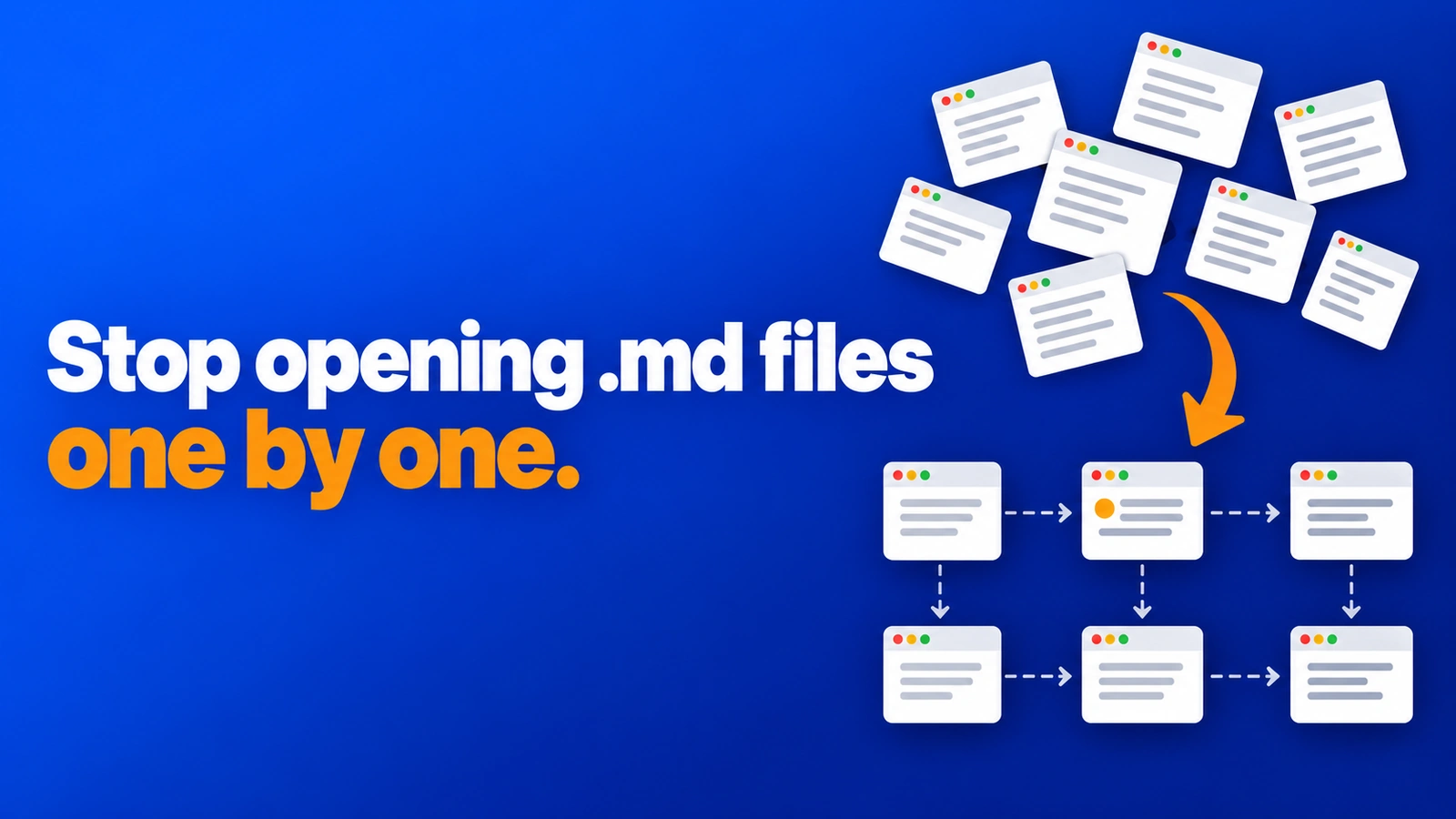
On this page · 10 sections
- The short answer
- How we picked: four criteria
- Preview one file fast on Mac
- Preview while you write elsewhere: Marked 2
- See a whole folder and its links
- Edit and write Markdown on Mac
- Best Markdown viewer for Mac compared
- Common mistakes when choosing a Mac markdown reader
- Our recommendation
- Frequently asked questions
The best Markdown viewer for Mac is not one app. It depends on the job. Do you want to glance at one README? Read a whole folder of linked notes and figure out how they fit together? Or write and edit?
Most "best of" lists mix those jobs into one ranking, and several are written by an app maker ranking its own app first. This guide sorts nine Mac apps by the job they do best. For each one, you get what it is good at, what it lacks, and a price we checked on the official page on October 9, 2026.
A quick note on where we stand. We build and ship apps with Claude Code every day, and our repos hold hundreds of Markdown files: CLAUDE.md, SKILL.md, plans and specs. We built one of the apps below, Markdown Viewer, because we could not see how those files linked together. We say so where it appears, and we say what it does not do.
The short answer#
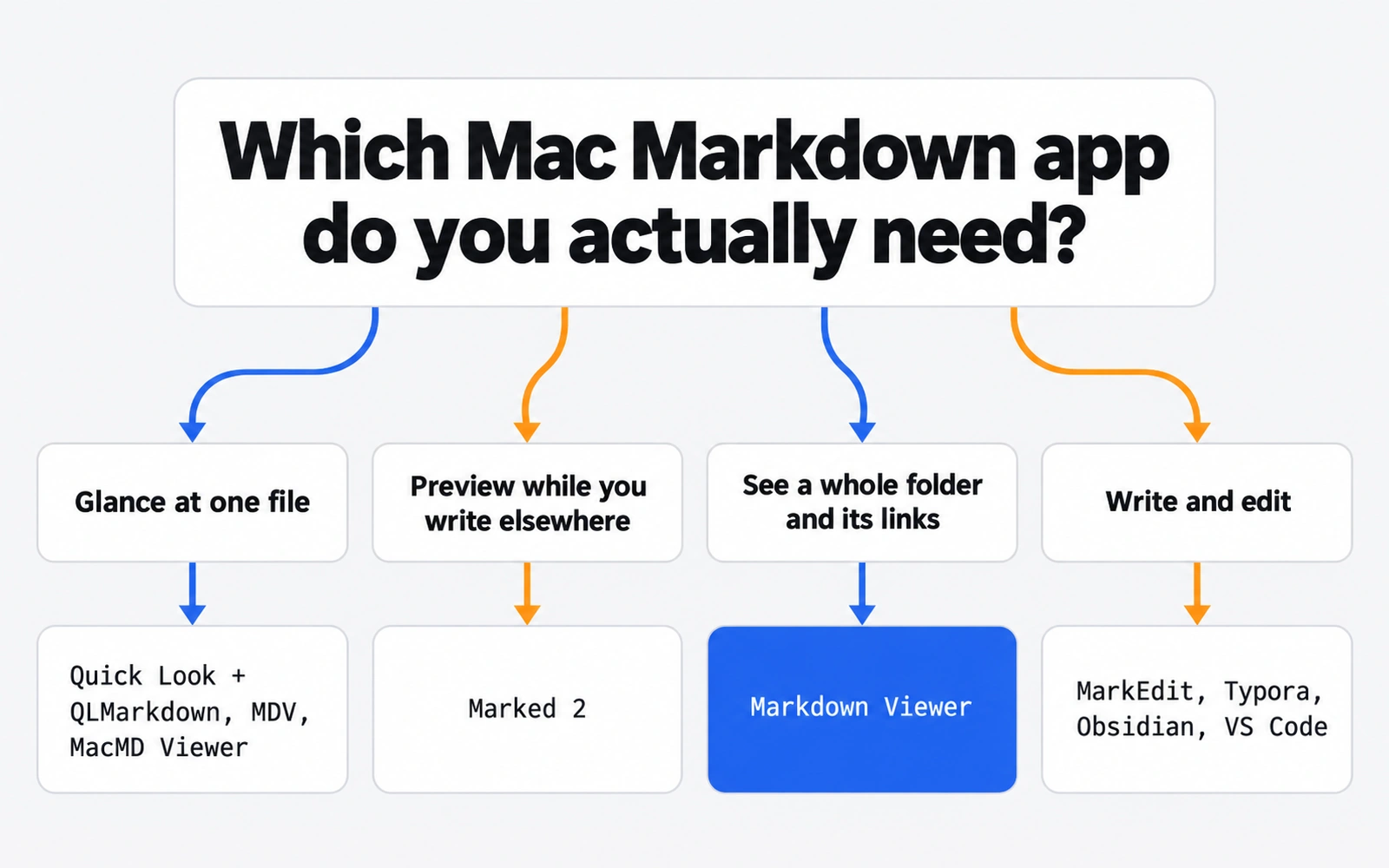
- Preview one file fast: add QLMarkdown to Quick Look (free), or open the file in MDV (free download) or MacMD Viewer ($19.99 one-time).
- Preview while you write in another editor: Marked 2 refreshes every time you save.
- See a whole folder and its links: Markdown Viewer maps every file and arrow, free. It is read-only.
- Edit and write: MarkEdit (free, open source), Typora ($14.99), Obsidian (free) or VS Code (free).
- Compare all nine in one table, or jump to the FAQ.
How we picked: four criteria#
We judged each app on four things that matter when you just want to read Markdown on a Mac:
- Speed to read. How many steps from "I have an .md file" to "I am reading formatted text"?
- Rendering. Tables, code blocks, task lists, images, and diagrams like Mermaid.
- Scope. Does it show one file, or a whole folder and the links between files?
- Price and trust. What it costs, verified on the maker's page, and whether it is open source.
We did not run benchmarks. Everything below comes from each app's official page or repository, listed in the sources at the end.
Preview one file fast on Mac#
This is the most common job. Someone sends you a README, or you download a repo, and you want to read one file without opening an editor.
Quick Look + QLMarkdown (free, open source)#
Quick Look is the preview you get when you select a file in Finder and press Space. QLMarkdown is a Quick Look extension that renders Markdown in that preview.
Best at: zero extra windows. You stay in Finder. It supports GitHub Flavored Markdown (tables and task lists), Mermaid diagrams, math through MathJax, code highlighting, a light and dark GitHub-style theme, and custom CSS.
Lacks: it is not a reader app. Its own page says it is not meant to be a standalone Markdown viewer. There is no folder view and no way to follow links.
Setup: install with brew install --cask qlmarkdown or from GitHub releases. Launch the app once, then turn it on in System Settings > General > Login Items & Extensions > Quick Look. The release is signed and notarized.
Price: free, GPL-3.0.
MDV (free download)#
MDV describes itself as "like Preview... but for Markdown." It opens a file in its own window.
Best at: a simple single-file reader with extras. It bundles a Quick Look extension, a command line tool, Mermaid diagrams, and a file watcher that updates the view as you edit.
Lacks: a folder overview. You read one document at a time.
Price and requirements: a free download on the developer's site (no price listed), macOS 13 or later.
MacMD Viewer ($19.99 one-time)#
MacMD Viewer is a paid, read-only viewer. Its pricing page lists Quick Look previews in Finder, Mermaid rendering, live reload after external file changes, and document outline navigation.
Best at: a polished, paid single-file reader that refreshes when another app rewrites the file.
Lacks: editing, by design. Its pricing page does not list a folder sidebar or a link map.
Price: $19.99 one-time, no subscription, one license for one Mac at a time.
Preview while you write elsewhere: Marked 2#
Marked 2 is a previewer for people who already love their text editor. You keep the file open in your preferred editor, and Marked updates the formatted view every time you save, scrolling to your latest edit.
Best at: writers. It shows word count, reading time, and readability scores (Fog Index, Flesch-Kincaid), and it exports to HTML, PDF and Word.
Lacks: a folder map, and it is not an editor itself.
Price: see site. You can buy it on the Mac App Store or directly via Paddle, and there is a 7-day free trial. It needs macOS 10.12 or later.
See a whole folder and its links#
Here is the gap most lists skip. Many Markdown files do not live alone. A docs folder, a notes folder, or an AI coding project can hold dozens of files that link to each other. Reading them one at a time tells you nothing about the shape of the whole thing.
That was our problem. Claude Code writes plans, specs and skill files into our repos, and we lost track of which file pointed where and which ones nothing pointed to at all. (If that sounds familiar, our guide on viewing the Markdown files Claude Code writes goes deeper.)
Markdown Viewer (free, read-only)#
Markdown Viewer is the free app we built for this job. You add up to 10 folders, and it shows them four ways:
- Map view: every file is a card, grouped by folder. Dashed arrows show links. Files nothing links to get an orange dot, so orphans stand out.
- Table view: title, file name, links in and out, and last update, grouped by folder. Sort and search.
- Folders view: drill down like Finder.
- Reader: tables, code, task lists and local images. Follow links and go back and forward.
It also has full-text search, favorites and pinned folders, light and dark mode, and live refresh when a file changes on disk. It skips .git, node_modules and build folders, and it strips scripts in Markdown so they never run.
Lacks, honestly: it is read-only. It never edits, moves or deletes your files. Editing and an AI panel are in Markdown Everywhere, the paid Pro version ($9.99 once).
Price and requirements: free, no in-app purchases, no account, no analytics, and no network connections of its own. macOS 11 or later on Apple silicon and Intel, plus Windows 10 and 11.
Obsidian's graph view (the other option)#
Obsidian also draws links. Its graph view shows the notes in your vault as circles and the internal links as lines, with a local graph for the current note and a filter to show or hide notes with no links. It has more filters and controls than our map. The catch is that it works on a vault, so it fits best when you are ready to manage your notes in Obsidian. More on Obsidian below.
Edit and write Markdown on Mac#
If you write Markdown, not just read it, you want an editor. Each of these also gives you a formatted view.
MarkEdit (free, open source)#
MarkEdit calls itself "just like TextEdit on Mac but dedicated to Markdown." It is native, privacy-focused (no user data collection), about 4 MB, and fast on very large files.
Best at: a light, Mac-like editor with multi-caret editing, code folding, Shortcuts and AppleScript support.
Lacks: a built-in preview. Preview comes from the official MarkEdit-preview extension, which adds side-by-side and overlay modes (Shift-Command-V cycles them).
Price and requirements: free, MIT license. The current release targets macOS 26; older releases cover macOS 12 to 15. Install from GitHub or with brew install --cask markedit.
Typora ($14.99)#
Typora is a live-preview editor. It hides Markdown syntax as you type, so the document looks finished while you write.
Best at: focused writing. It has an outline panel, file tree, focus and typewriter modes, Mermaid and math, and export to PDF, DOCX, LaTeX, EPUB and more.
Lacks: a link map, and it costs money if you only want to read.
Price: $14.99 (without tax), up to 3 devices, 15-day free trial. Runs on macOS, Windows and Linux.
Obsidian (free)#
Obsidian is a notes app that works on a vault of Markdown notes, with the graph view described above.
Best at: building a personal knowledge base with links, backlinks and a graph.
Lacks: lightness. It expects you to organize files into a vault, which is a lot of setup if you only want to open a project folder and read.
Price: free, no sign-up required. Sync is $4 per user per month billed annually, Publish is $8 per site per month billed annually, and a commercial license ($50 per user per year) is optional.
VS Code (free)#
If you are a developer, you may already have the answer installed. VS Code has a built-in Markdown preview: Shift-Command-V toggles it, and Command-K then V opens it to the side.
Best at: working with Markdown next to code. It can validate local links, find all references to a header, and update links when you rename or move a file (some of these settings are off by default).
Lacks: a visual map of how files connect, and it is a full code editor just to read a note.
Price: free for private or commercial use, per the VS Code FAQ.
Best Markdown viewer for Mac compared#
Prices checked on each official page on October 9, 2026.
| App | Best job | Reads a whole folder? | Shows links between files | Edits | Price |
|---|---|---|---|---|---|
| Quick Look + QLMarkdown | Glance at one file in Finder | No | No | No | Free, open source (GPL-3.0) |
| MDV | Read one file in a window | No | No | No | Free download (no price listed) |
| MacMD Viewer | Polished single-file reader | No | No | No | $19.99 one-time |
| Marked 2 | Preview while writing elsewhere | No | No | No | See site (7-day trial) |
| Markdown Viewer | Understand a folder and its links | Yes, up to 10 folders | Yes, map with arrows | No (read-only) | Free |
| MarkEdit | Light native editor | No | No | Yes | Free, open source (MIT) |
| Typora | Focused writing | File tree | No | Yes | $14.99, 3 devices |
| Obsidian | Notes with a graph | Yes, as a vault | Yes, graph view | Yes | Free; Sync from $4/mo |
| VS Code | Markdown next to code | Yes, as a workspace | References, no map | Yes | Free |
Common mistakes when choosing a Mac markdown reader#
- Buying an editor to read. If you never type into the file, a free viewer or Quick Look extension does the job.
- Trusting a list written by one of the apps. Check the maker's own page for price and features, as we did here.
- Forgetting the Quick Look switch. QLMarkdown, for example, needs to be launched once and enabled in System Settings before Space shows formatted text.
- Reading a linked folder one file at a time. If your files link to each other, a map or graph saves you from opening twenty tabs to find the one that matters.
Our recommendation#
Start with the job, not the app:
- One file, now: QLMarkdown in Quick Look. Free, and you never leave Finder.
- One file, nicer window: MDV for free, MacMD Viewer if you want to pay for polish.
- A folder of linked docs, notes or AI project files: Markdown Viewer. Free and read-only, so it cannot break anything.
- Writing: MarkEdit if you want light and free, Typora if you want polish, Obsidian if you want a knowledge base, VS Code if you already live in it.
If your Markdown pile comes from AI coding tools, two related guides help: CLAUDE.md best practices on keeping that file short and useful, and where Claude Code saves plan files. For the bigger picture of tools we use daily, see our best AI productivity tools roundup.
Frequently asked questions
What is the best free Markdown viewer for Mac?
For quick previews, QLMarkdown is free and open source and adds rendered Markdown to Finder's Quick Look. MDV is a free download from its developer with Mermaid and a Quick Look extension. If you need to see a whole folder of linked files, Markdown Viewer is free with no account. For editing, MarkEdit is free and open source.
How do I open an MD file on a Mac?
An .md file is plain text, so any text editor can open it, but you will see raw symbols like # and **. To read it formatted, install a Quick Look extension such as QLMarkdown and press Space in Finder, or open the file in a viewer app like MDV or MacMD Viewer, or in an editor with preview such as VS Code.
Does Quick Look on Mac preview Markdown?
Quick Look can show rendered Markdown once you add an extension. QLMarkdown is one free option: install it with Homebrew or from its GitHub releases, launch the app once, then enable it in System Settings under General, Login Items and Extensions, Quick Look. After that, select a .md file in Finder and press Space.
Is Typora free on Mac?
No. Typora's website lists a price of $14.99 (without tax) for a license that covers up to three devices, with a 15-day free trial. It runs on macOS, Windows and Linux. If you only need to read Markdown, a free viewer is enough; Typora earns its price when you write a lot.
Can VS Code preview Markdown on a Mac?
Yes. VS Code is free and has a built-in Markdown preview. Press Shift-Command-V to toggle the preview, or Command-K then V to open it to the side. It can also validate local links and update links when you rename a file, though both options are off by default.
Which Markdown viewer shows links between files?
Obsidian's graph view shows links between notes inside a vault. Markdown Viewer, our free app, draws a map of any folders you add, with dashed arrows for links and an orange dot on files nothing links to. VS Code can find references to a header or file across a workspace, but it does not draw a map.
Sources
- QLMarkdown — GitHub repository (sbarex), checked Oct 9, 2026
- MDV — Markdown viewer for Mac (mowglii.com), checked Oct 9, 2026
- MacMD Viewer — Pricing, checked Oct 9, 2026
- Marked 2 — official site, checked Oct 9, 2026
- MarkEdit — GitHub repository, checked Oct 9, 2026
- MarkEdit-preview — GitHub repository, checked Oct 9, 2026
- Typora — official site, checked Oct 9, 2026
- Obsidian — Pricing, checked Oct 9, 2026
- Obsidian Help — Graph view
- Visual Studio Code docs — Markdown and Visual Studio Code
- Visual Studio Code — FAQ (Is VS Code free?)
- Markdown Viewer — releases on GitHub
Related reading
Workflow & Productivity
The Best AI Productivity Tools in 2026 (Picked by Job, With Real Prices)
The best AI productivity tools for 2026, grouped by the job they do: writing, meetings, calendar, notes and automation, with real prices and free plans.
Workflow & Productivity
The Time Blocking Method: A Step-by-Step Guide That Survives Real Workdays
Learn the time blocking method step by step: how to plan your day in blocks, handle interruptions, use Google Calendar or paper, and adapt it for ADHD.
AI Tools & Models
Claude Code Markdown Viewer: 4 Ways to Read the Files Claude Writes
Need a Claude Code markdown viewer? Compare 4 real ways to read CLAUDE.md, skills and plans, and see the links between files before your docs folder gets messy.