

MADE HERE · FREE · BETA
QuickCheck for Mac
Paste tasks. Tick. Done.
- Productivity
- Free
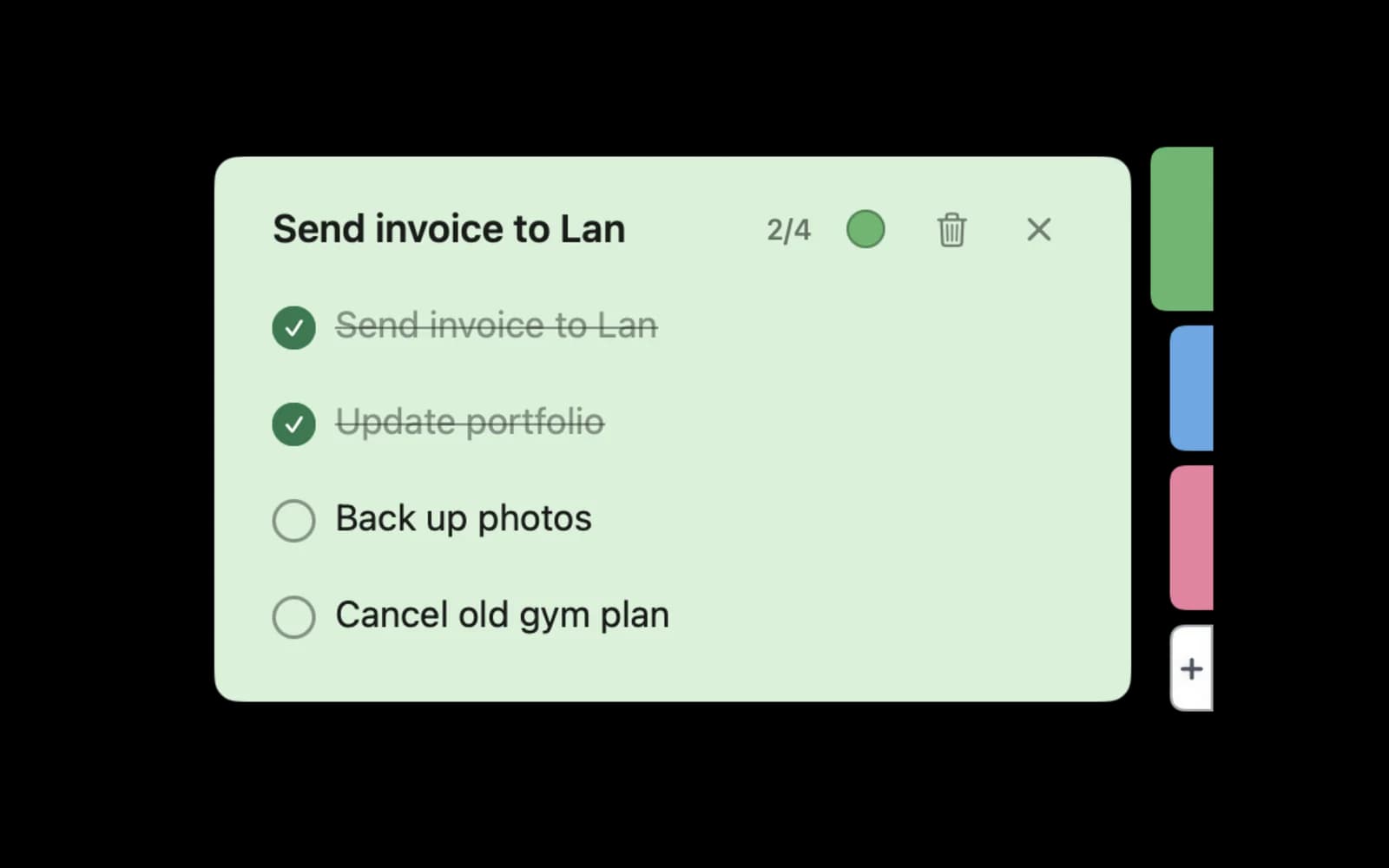
QuickCheck is a free Mac checklist app: paste a few lines, press Return, and get a checklist that lives as a colored tab on the edge of your screen. Tick tasks off without leaving what you are doing.
Key features
PASTE TO CHECKLIST
Type or paste tasks and press Return. Bullets, numbers and empty lines are cleaned up for you.
TICK FROM THE SCREEN EDGE
Each note is a colored tab on the right edge. Hover to slide it out and tick tasks right there.
UNDO AND HISTORY
Toss a finished note and Undo brings it back. History keeps finished notes for 30 days.
KEYBOARD FIRST
⌘N for a new note, ⌘1–⌘9 to pick one, Space to tick, ⌘Z to undo, ⌘Y for History.
PRIVATE AND FREE
No account, never goes online, no in-app purchases and no ads.
Who QuickCheck is for
- People who keep a quick to-do list for today
- Anyone who copies tasks from chat, email or meeting notes
- Keyboard-first Mac users
Install
Leave your email above and we will tell you the day it is ready.
Requirements: macOS 14 Sonoma or later, Apple silicon and Intel.
A free alternative to Reminders, Things 3 and Stickies
People often look for QuickCheck when they want what Reminders or Things 3 or Stickies does. QuickCheck is free.
FAQ
When can I download it?
QuickCheck is in beta and waiting for Mac App Store review. Leave your email and we will tell you the day it is out.
Is it really free?
Yes. No paywall, no subscription, no ads.
More free Mac apps like QuickCheck
 Markdown ViewerOpen a folder full of .md files as a table, a link map or Finder-style folders, and read any file in a clean reader.MaccyA lightweight clipboard history you open and search from the keyboard.HammerspoonAutomate your Mac with Lua scripts: windows, hotkeys, Wi-Fi, USB, audio and much more.