

Shows what is really inside System Data, finds duplicates and big files, and shows which apps eat RAM. Everything you clear goes to the Trash. In early access.
FOR PEOPLE WHO LOVE THEIR MAC
I ♥ Mac.
Free Mac apps we build, the open-source apps we install on every machine, everyday Mac tricks, the paid apps actually worth it, and honest iPhone app reviews.
Made by us
8 Mac apps we build and ship ourselves. Most are free; a few have a one-time Pro upgrade.
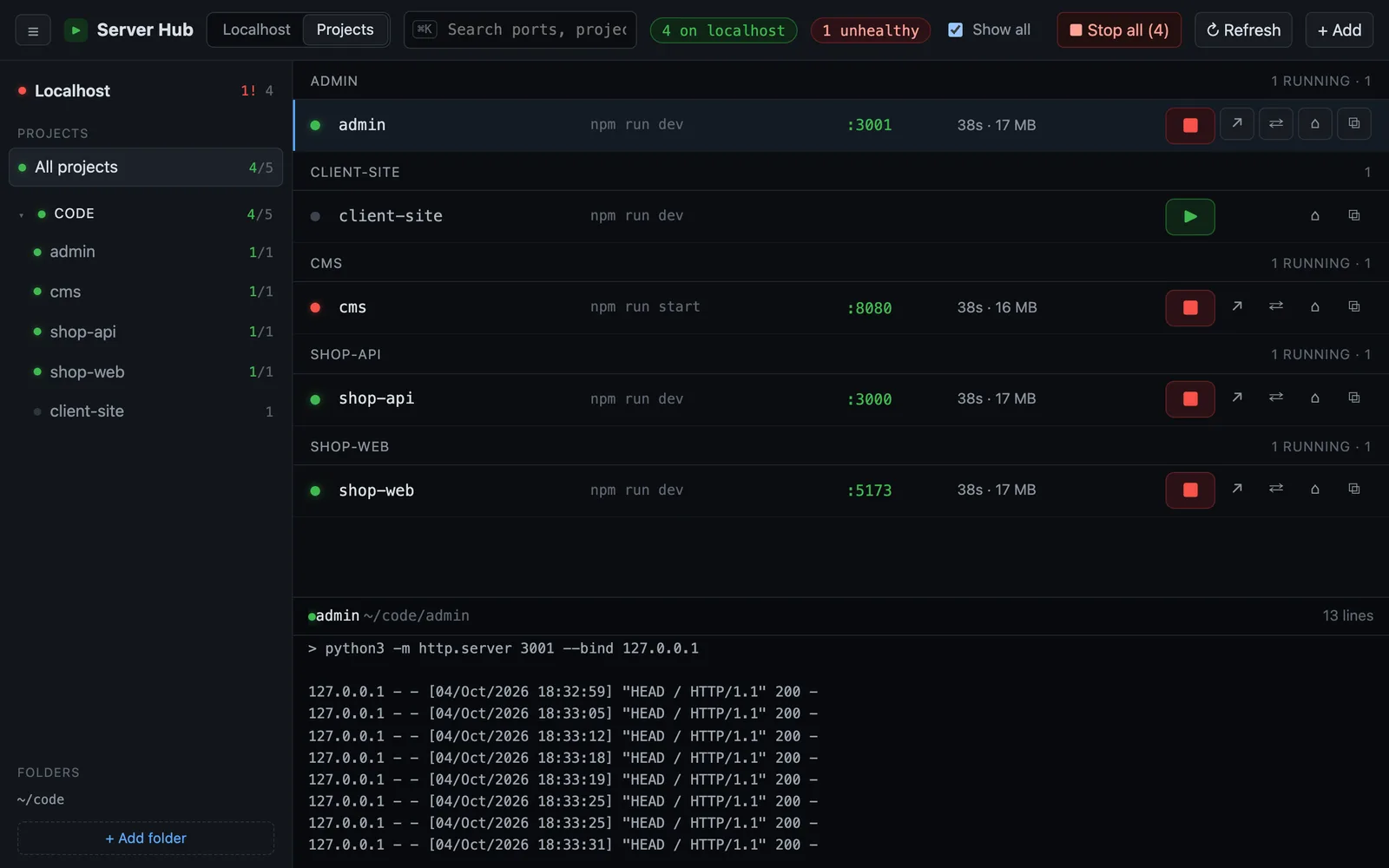

See every localhost server on your Mac and whether it actually answers. Open, stop or start any of them in one click.
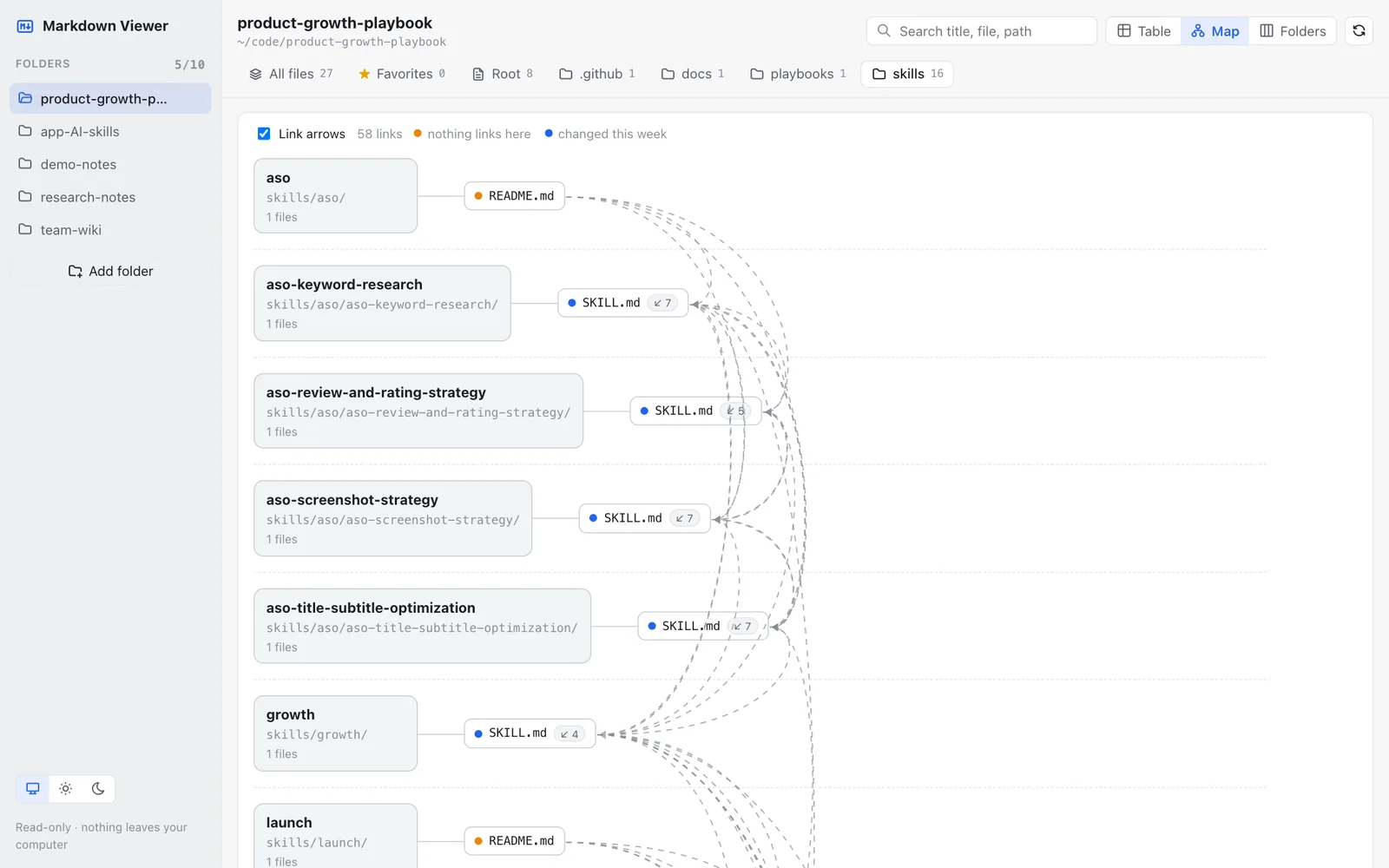
Open a folder full of .md files as a table, a link map or Finder-style folders, and read any file in a clean reader.
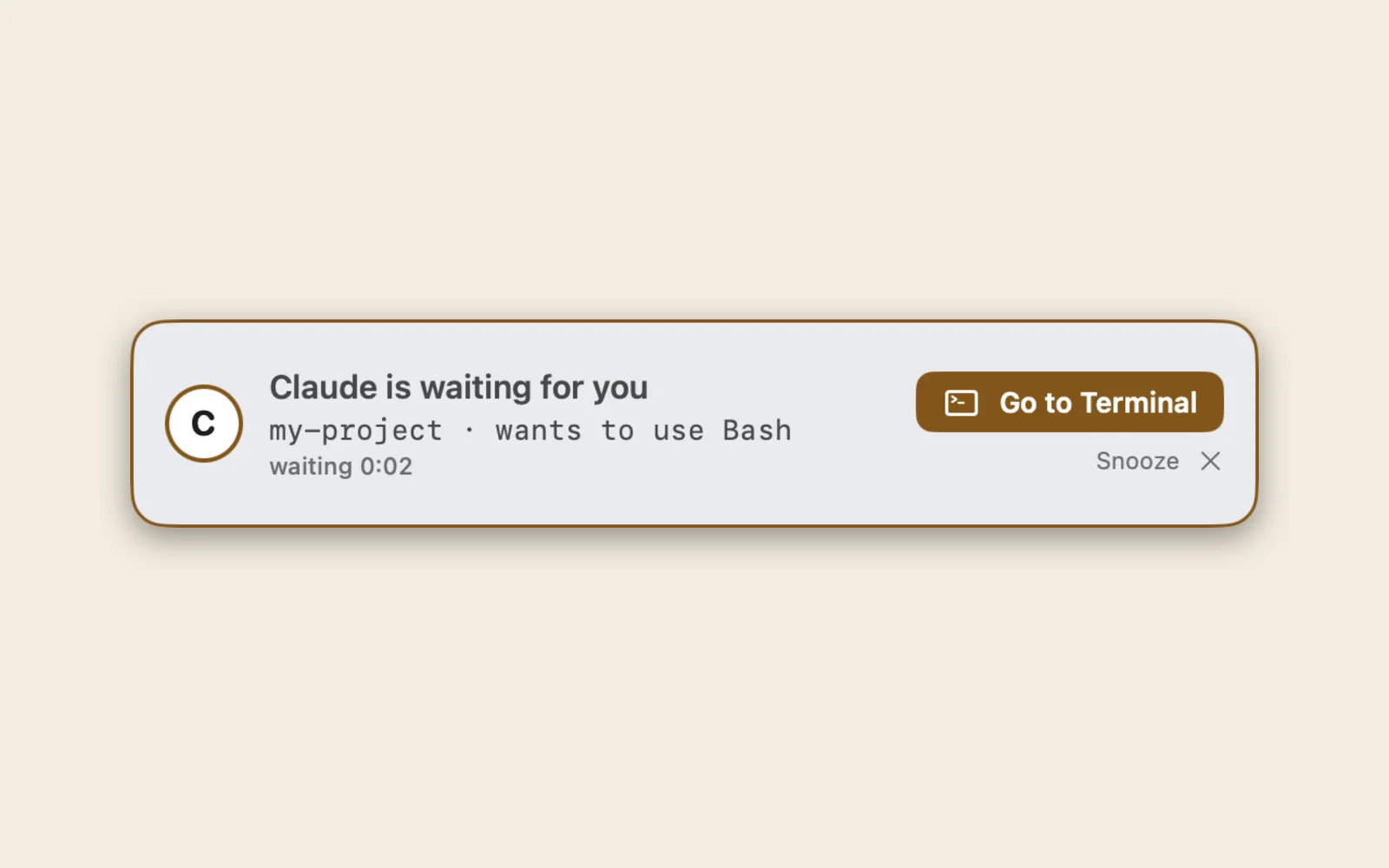
A menu bar bell for Claude Code and Codex. When your agent is waiting for you, you hear it and see a big banner.
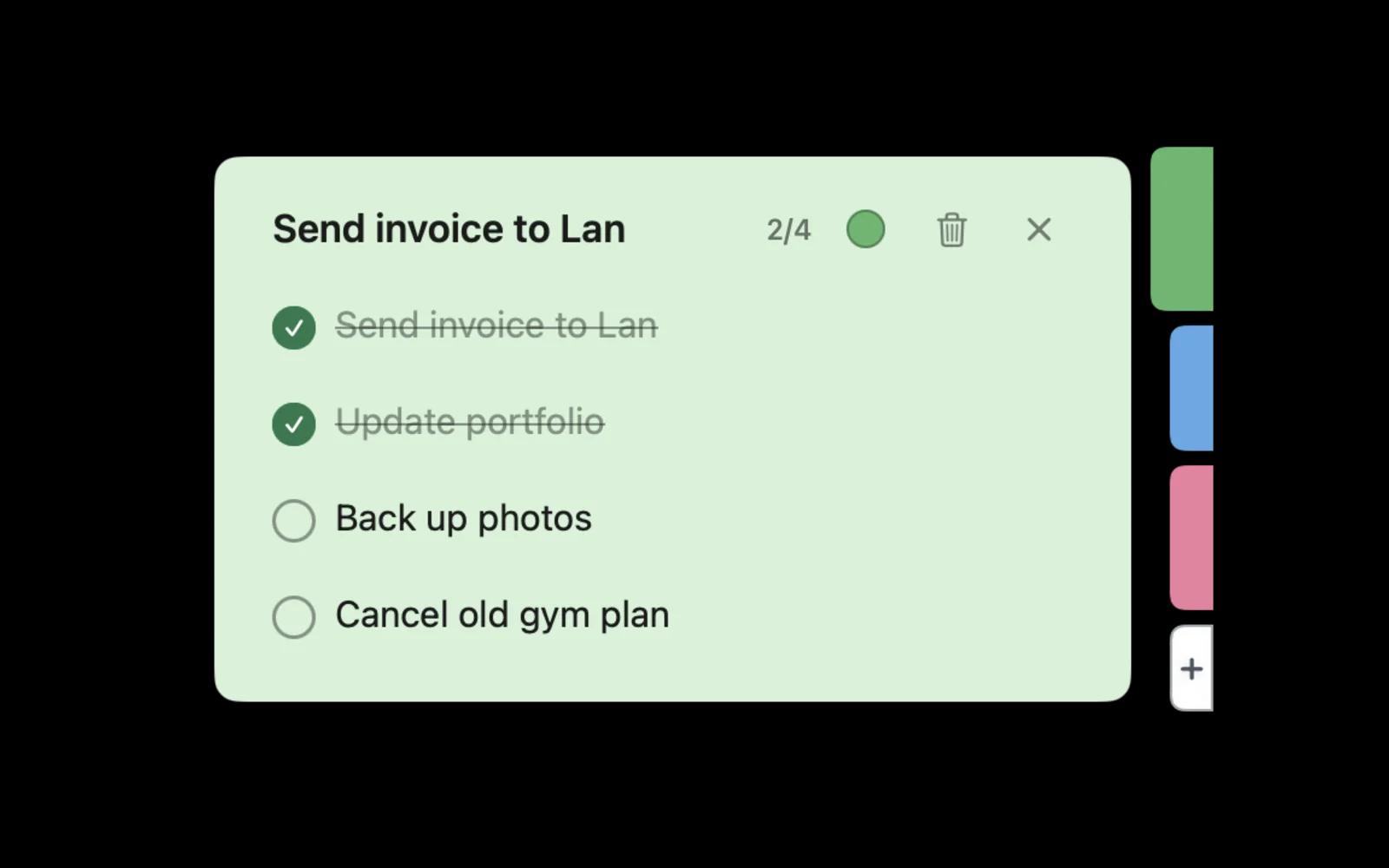

Sticky notes on the edge of your screen: paste a few tasks and get a checklist as a colored tab. Tick them off without leaving what you are doing.
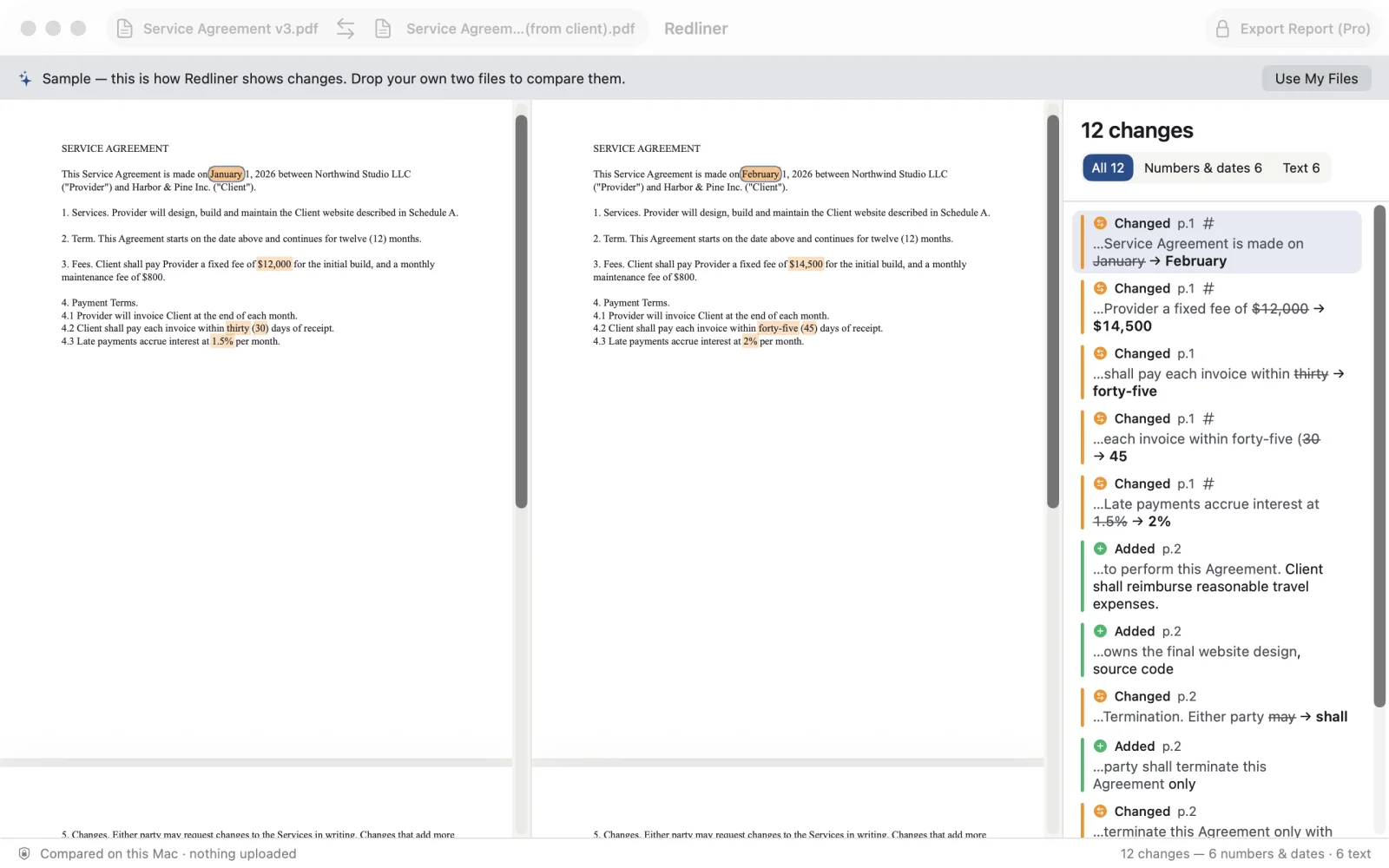
Drop in the old and new version of a contract, quote or policy (PDF, Word or text, scanned PDFs too) and see every changed word side by side. Everything stays on your Mac.
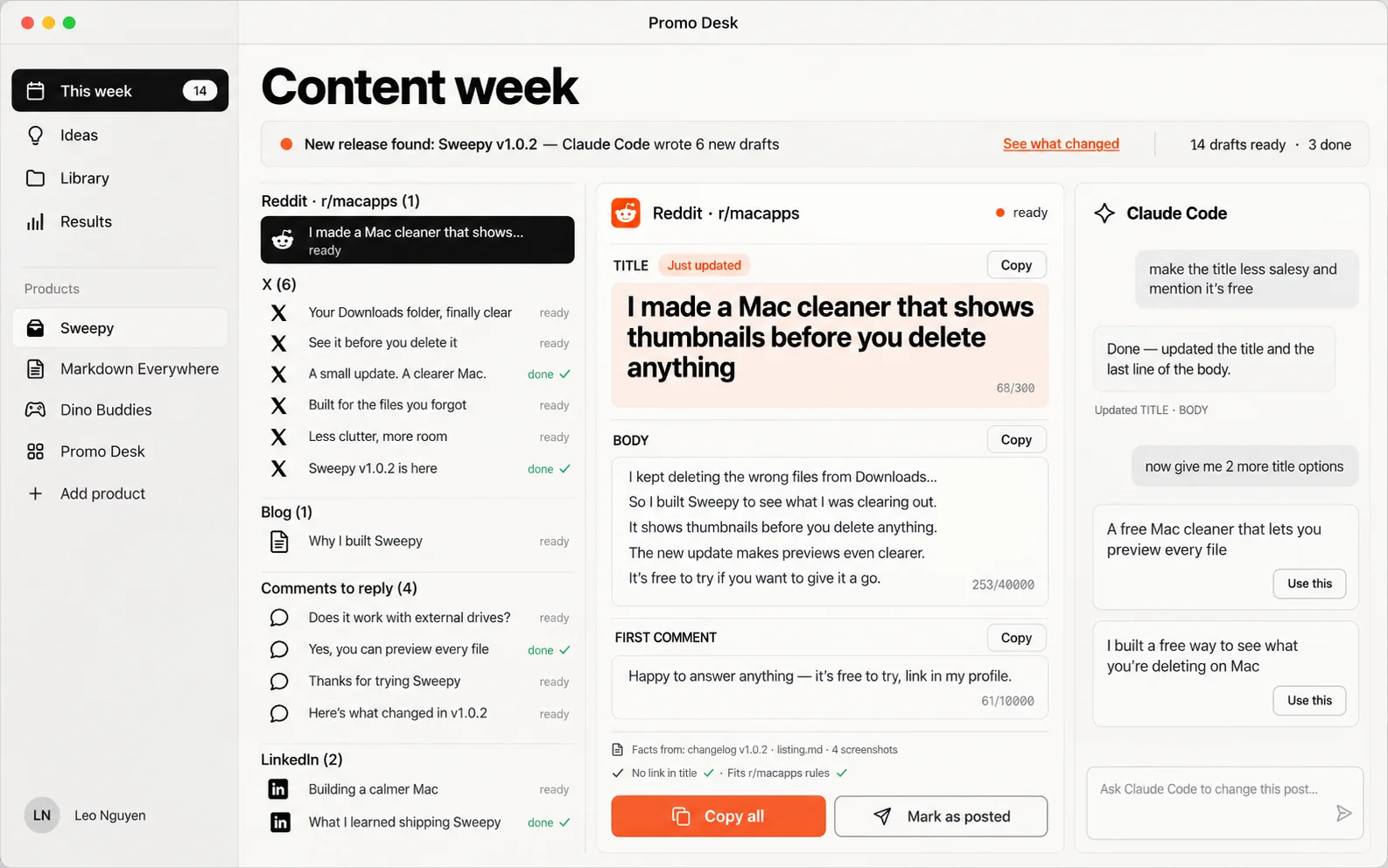

AI marketing for people who market their own apps: knows your product, writes your week of Reddit, X, blog and LinkedIn posts when you ship, and lets you polish each one by chatting with Claude Code.
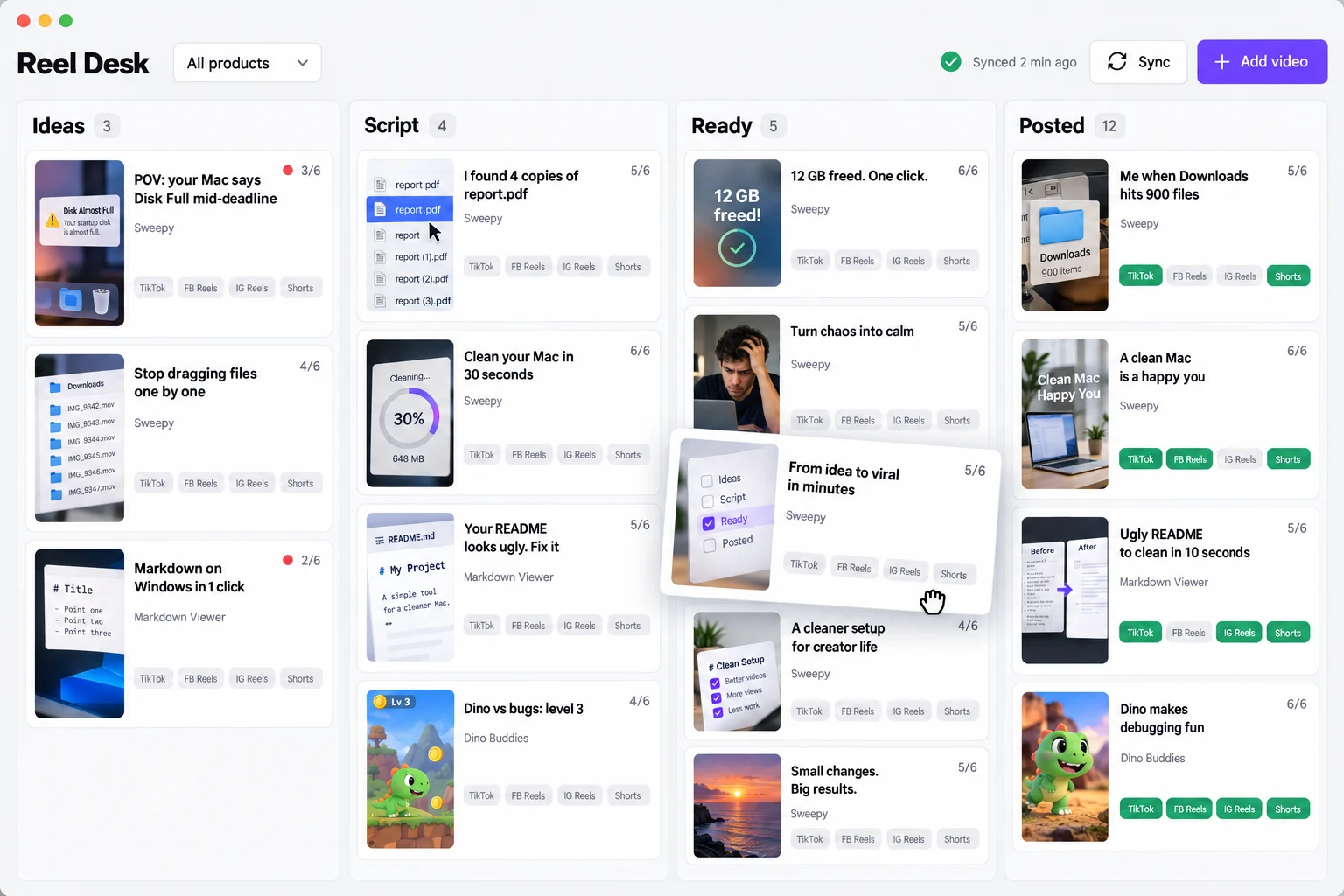
Keep every short video you make with AI next to its script, hook and captions, then walk it to TikTok, Reels and Shorts. Mac and Windows.
Open-source picks
21 great free Mac apps by other developers. We use them and recommend them; we do not make them and are not paid to list them.
- MoleClean caches, uninstall apps with their leftovers, map your disk and watch live stats, all from one terminal command.★ 69.5k
- IINAA modern video player built for macOS, with picture-in-picture, trackpad gestures and online subtitles.★ 46.7k
- StatsCPU, GPU, memory, disk, network, battery and sensors, right in your menu bar.★ 42.3k
- UTMRun Windows, Linux and other macOS versions in virtual machines on your Mac, built on QEMU.★ 35.8k
- MonitorControlControl the brightness and volume of external displays with your keyboard keys and the native on-screen display.★ 34.4k
- RectangleMove and resize windows with keyboard shortcuts and snap areas.★ 30k
- IceHide, show and rearrange menu bar icons, so the notch stops eating your apps.★ 29.8k
- AeroSpaceAn i3-like tiling window manager for macOS, set up from one plain text config file.★ 23.4k
- CodeEditA native, lightweight code editor written for macOS. Still in development, free to test-drive.★ 23.1k
- Karabiner-ElementsA powerful key remapper: turn Caps Lock into anything, build hyper keys and per-device layouts.★ 22.9k
- MaccyA lightweight clipboard history you open and search from the keyboard.★ 21.8k
- BlackHoleA virtual audio driver that passes sound from one app to another with zero added latency.★ 19.9k
- KapAn open-source screen recorder that lives in your menu bar and exports GIF, MP4 and more.★ 19.4k
- Background MusicPer-app volume, auto-pause for your music when another sound plays, and system audio recording.★ 19.3k
- AltTabWindows-style alt-tab on the Mac, with a preview of every open window.★ 16.4k
- AmethystAutomatic tiling window manager: windows arrange themselves as you open them.★ 16.3k
- HammerspoonAutomate your Mac with Lua scripts: windows, hotkeys, Wi-Fi, USB, audio and much more.★ 16.2k
- KeyCastrShows the keys you press on screen, made for demos, screencasts and teaching.★ 15.1k
- LoopWindow management with a radial menu: hold a key, point, and the window snaps.★ 11.7k
- LinearMouseFix mouse and trackpad scrolling, speed and buttons, per device.★ 7k
Stars from GitHub on 2026-10-07.
Mac tips & tricks
Small things built into every Mac that most people never find. No app to install.
GUIDE · 6 TRICKSEvery Mac screenshot shortcutRead the guide →GUIDE · 7 TRICKSFinder tricks every Mac user should knowRead the guide →GUIDE · 5 TRICKSSnap windows side by side on a MacRead the guide →
Screenshots
Screenshot just one window, without the mess
⌘⇧4thenSpacePress ⌘⇧4, then Space: the pointer turns into a camera and you click the window you want. Add Control to any screenshot shortcut to copy it instead of saving a file.
More in: Every Mac screenshot shortcut →Keyboard
Spotlight is a calculator and a unit converter
⌘SpaceType 249*12, 20 usd in eur or 5 miles in km straight into Spotlight. The answer shows before you press Return, and ⌘C copies it.
Finder
Peek inside any file with Space
SpaceSelect a file in Finder and press Space to preview PDFs, images, videos and documents without opening an app. Arrow keys move to the next file.
More in: Finder tricks every Mac user should know →Finder
Copy the full path of a file
⌥⌘CSelect a file in Finder and press ⌥⌘C to copy its full path, ready to paste into Terminal, a chat or an upload dialog.
More in: Finder tricks every Mac user should know →Windows
Snap windows side by side, no app needed
fn⌃←orfn⌃→Since macOS Sequoia you can drag a window to a screen edge to tile it, or use the Globe (fn) and Control keys with an arrow. fn ⌃ F fills the screen.
More in: Snap windows side by side on a Mac →Windows
Quit apps from the app switcher
⌘TabthenQHold ⌘, press Tab to move to an app, then press Q to quit it or H to hide it, without letting go of ⌘. ⌘` cycles the windows of the app you are in.
Hidden gems
Option-click the menu bar for secret details
⌥clickHold Option and click the Wi-Fi icon to see your IP address, router, signal strength and channel. Many menu bar icons have an Option-click version.
Keyboard
Change volume and brightness in tiny steps
⌥⇧🔊Hold Option and Shift while pressing the volume or brightness keys to move in quarter steps, for the moment one full step is too loud.
Hidden gems
Type @@ and get your email address
In System Settings → Keyboard → Text Replacements, add short codes that expand into longer text: email, address, a standard reply. They sync to your iPhone with iCloud.
Hidden gems
Keep your Mac awake from Terminal
caffeinate-dRun caffeinate -d in Terminal to stop the display from sleeping until you press Control-C. caffeinate -t 3600 keeps the Mac awake for one hour.
Hidden gems
Copy text out of any screenshot or photo
Open an image in Preview, Photos or Quick Look and select the text in it like in a document. Works for screenshots of error messages, receipts and slides.
Mac apps worth paying for
Paid apps that earn their price, mostly one-time purchases. Each one comes with an honest “skip if” and a free alternative when there is a good one.
Raycast
A launcher that replaces Spotlight: open apps, search files, clipboard history, snippets, window shortcuts and hundreds of extensions.
- Worth it if
- Start free: the free plan alone replaces three or four small utilities. Pay for Pro only if you use its AI chat or want settings synced across Macs.
- Skip if
- You rarely use the keyboard to open things.
CleanShot X
Screenshots and screen recordings with annotation, blur, scrolling capture and shareable cloud links.
- Worth it if
- You take screenshots every day for docs, bug reports or support. $35 includes one year of updates; the app keeps working after that.
- Skip if
- You screenshot a few times a week. The built-in ⌘⇧5 tools are enough.
Things 3
A calm, beautifully designed to-do app: Today, Upcoming, projects with headings, areas for each part of your life.
- Worth it if
- You want a personal planner you pay for once, with no subscription. The iPhone app is a separate purchase.
- Skip if
- You need shared lists with a team or family.
BetterTouchTool
Custom trackpad gestures, mouse buttons, keyboard shortcuts and window snapping for almost any action on your Mac.
- Worth it if
- You want a three-finger tap or a mouse button to do exactly what you choose, per app.
- Skip if
- You are happy with the default gestures.
Alfred Powerpack
Alfred is a free launcher; the Powerpack adds workflows, clipboard history, snippets and file actions.
- Worth it if
- You prefer to pay once instead of a subscription, and like building your own workflows. The v5 license includes a free upgrade to Alfred 6.
- Skip if
- The free Raycast plan already does what you need.
DaisyDisk
A visual map of your disk that shows what is eating space, so you can delete the biggest files by dragging them out.
- Worth it if
- Your Mac says the disk is almost full and you want to see why in one minute.
- Skip if
- You are fine with a terminal command.
iStat Menus 7
CPU, GPU, memory, network, disk, battery and weather in the menu bar, with detailed history graphs.
- Worth it if
- You want the most polished system monitor and detailed history.
- Skip if
- A simple live readout is enough.
Magnet
Snap windows to halves, thirds and quarters by dragging or with keyboard shortcuts.
- Worth it if
- You are on macOS 14 or older and want window snapping from the Mac App Store.
- Skip if
- You are on macOS Sequoia or later: tiling is built in.
Prices in USD from the Mac App Store or the maker’s site on Oct 11, 2026; taxes may apply. We are not paid to list any of these apps.
iPhone apps we recommend
Short, honest reviews of iPhone apps that pair well with a Mac: what they do, what they really cost, who should skip them.

Things 3
★★★★★ 4.8 · 28K ratings
“The calmest to-do app on iPhone, and you pay for it once.”
Read the review →
Flighty
★★★★★ 4.8 · 156K ratings
“If you fly more than a few times a year, it pays for itself in the first delay.”
Read the review →
Streaks
★★★★★ 4.8 · 27K ratings
“A habit tracker you buy once and that reads your Health data for you.”
Read the review →
Overcast
★★★★★ 4.5 · 48K ratings
“The podcast player that makes every show shorter and easier to hear.”
Read the review →
Day One
★★★★★ 4.8 · 119K ratings
“The most polished private journal on iPhone; the free version is enough to start.”
Read the review →
Halide Mark III
★★★★★ 4.4 · 14K ratings
“For people who want iPhone photos that look like photos, not like phone photos.”
Read the review →Ratings and prices from the US App Store on Oct 11, 2026. Not sponsored.
CUSTOM MAC APP
Need a Mac app that does not exist?
Tell us what it should do in one or two lines. Good ideas become the next free app; bigger ones we build for you, in native Swift, signed and notarized.