

MADE HERE · FREE
Server Hub for Mac
Every localhost server, checked
- Developer tools
- Open source · MIT
- Free
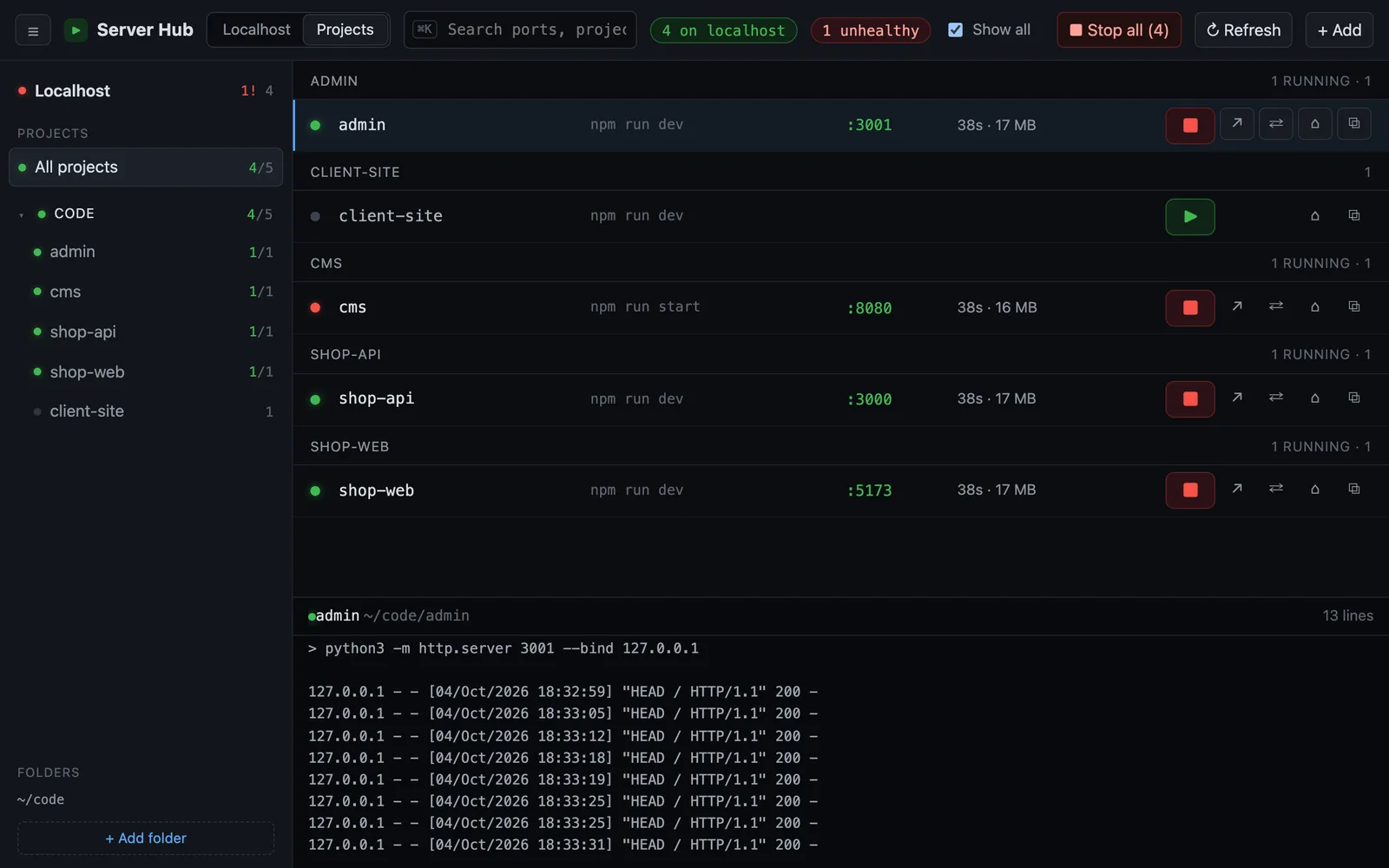
Server Hub is a free, open-source Mac app that shows every server running on localhost and tells you which ones actually answer. No more lsof -i :3000 or hunting through terminal tabs for whoever holds port 5173.
Key features
SEE EVERY LOCALHOST PORT
Every TCP port a browser could open on your Mac, dev servers, local APIs and databases, refreshed every few seconds.
HEALTH CHECK FOR EACH SERVER
A green dot means it answers with a status below 500, red means 5xx or no answer, blue means the port speaks another protocol such as Postgres or Redis.
KNOW WHO STARTED IT
See the project folder, the tool behind it (vite, next, astro, django, rails and more), uptime, memory and which app launched it: Terminal, iTerm, Warp, VS Code, Cursor, Claude Code or Codex.
START AND STOP YOUR PROJECTS
Add folders like ~/code and Server Hub finds what can run: package.json dev scripts, .claude/launch.json and run.sh. Start runs it with your terminal PATH; Stop ends the whole process group.
LIVE LOGS AND PORT CLASH WARNINGS
The last 2,000 log lines for anything you start, errors in red. If two projects want the same port, Server Hub tells you who holds it.
LIVES IN YOUR MENU BAR
The menu bar shows how many ports are open and flags unhealthy ones, so you notice a crashed API before your browser does.
Who Server Hub is for
- Web developers running a frontend, an API and a CMS at the same time
- Anyone who works with Claude Code or Codex starting dev servers for them
- People tired of killing the wrong process on port 3000
Install
- Download Server-Hub-mac.dmg and drag Server Hub to Applications.
- Open it: every localhost port shows up with a health dot.
- Add your code folders to start and stop projects with one click.
Requirements: macOS 11 Big Sur or later. Universal app for Apple silicon and Intel. Signed and notarized by Apple.
A free alternative to lsof -i, Activity Monitor and LaunchControl
People often look for Server Hub when they want what lsof -i or Activity Monitor or LaunchControl does. Server Hub is free and its source code is public, so you can see exactly what it does on your Mac.
FAQ
Is Server Hub free?
Yes. It is free and open source under the MIT license, with no account.
Does it send my data anywhere?
No. It only talks to ports on your own Mac, and to your local network when you choose to share a server.
Can it stop macOS system processes?
No. Server Hub never stops macOS system processes, only the servers it lists.
More free Mac apps like Server Hub
 Markdown ViewerOpen a folder full of .md files as a table, a link map or Finder-style folders, and read any file in a clean reader.AgentBellA menu bar bell for Claude Code and Codex. When your agent is waiting for you, you hear it and see a big banner.MoleClean caches, uninstall apps with their leftovers, map your disk and watch live stats, all from one terminal command.UTMRun Windows, Linux and other macOS versions in virtual machines on your Mac, built on QEMU.